How I Purposefully Shot Myself in the Foot Making My Latest Short Film
The Making of Department of Good Memories
There's a particular kind of creative decision-making that could be called "ambitious stupidity." It's when you know something is going to be harder, you understand exactly why it's going to be harder, and you do it anyway.
I made a short film for the MIT Global AI Film Hack, a global competition that brings together filmmakers, artists, and technologists. What follows is a detailed account of me choosing the most painful path at every fork in the road.
The timeline was roughly two and a half weeks.
The Story (a.k.a. The First Way I Made My Life Harder)
The film is called Department of Good Memories. The premise: somewhere, there exists a department that stores people's good memories. Physical, glowing phials on shelves, catalogued and retrievable. Pearl, our protagonist, is the Senior Archivist. Her job is simple: receive visitors, find their memory, hand it over, put it back when they leave. She loves this job because it feeds her need for order, structure, and everything being exactly where it belongs.
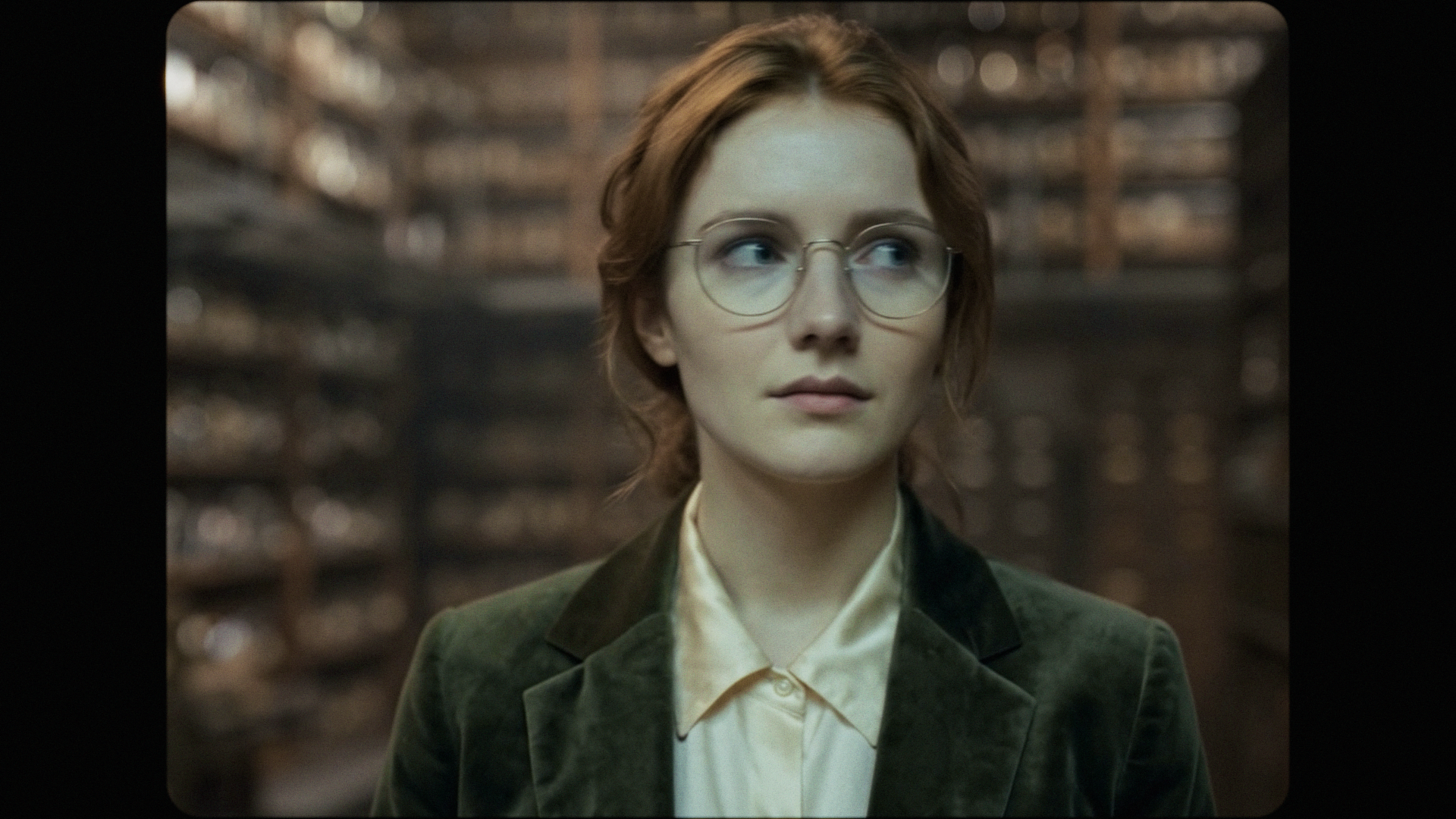
The theme "Open Your Eyes" - inspired by John Berger's Ways of Seeing, asks us to move beyond seeing into presence and perspective. And when a phial arrives that doesn't fit, Pearl is forced to confront the idea that a single memory can mean completely different things depending on who carries it.
Cool, right? Also: kinda tricky to produce with AI tools, and we will go into detail why.
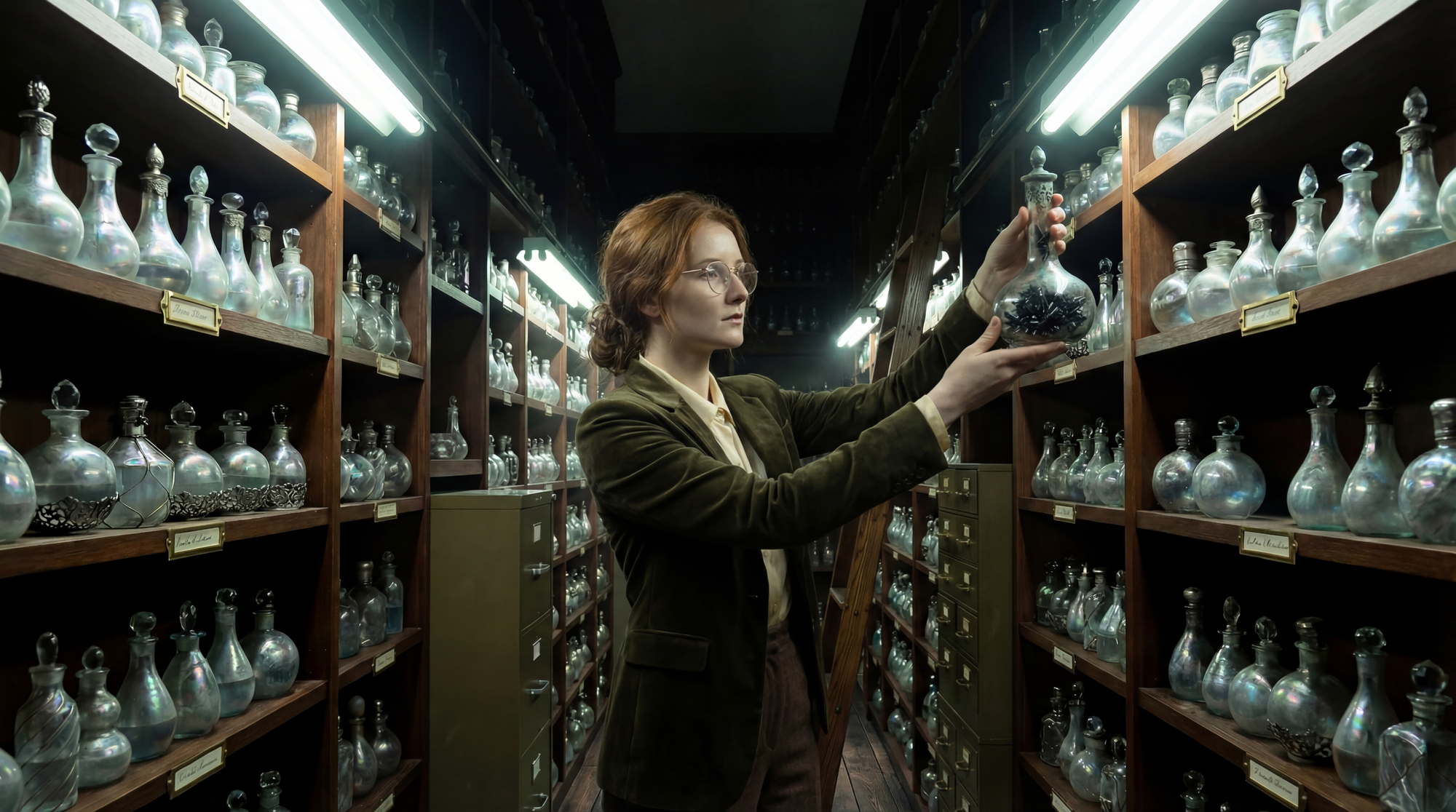
Three Decisions I Can't Blame Anyone Else For (The Road to Type 2 Fun)
Decision 1: A Confined Space
Most recent AI films wisely choose settings with built-in visual variety: a journey through different landscapes, a forest, a city, which is convenient for continuity.
I chose a single interior. One archive, three areas within it. Every. Single. Shot. shows the same shelves, the same phials, the same wooden counter, the same brass desk lamp. An intimate piece set in tight quarters with nowhere to hide. In AI filmmaking terms, this is called "asking for trouble," since there are no cutaways to a sunset to bail you out.
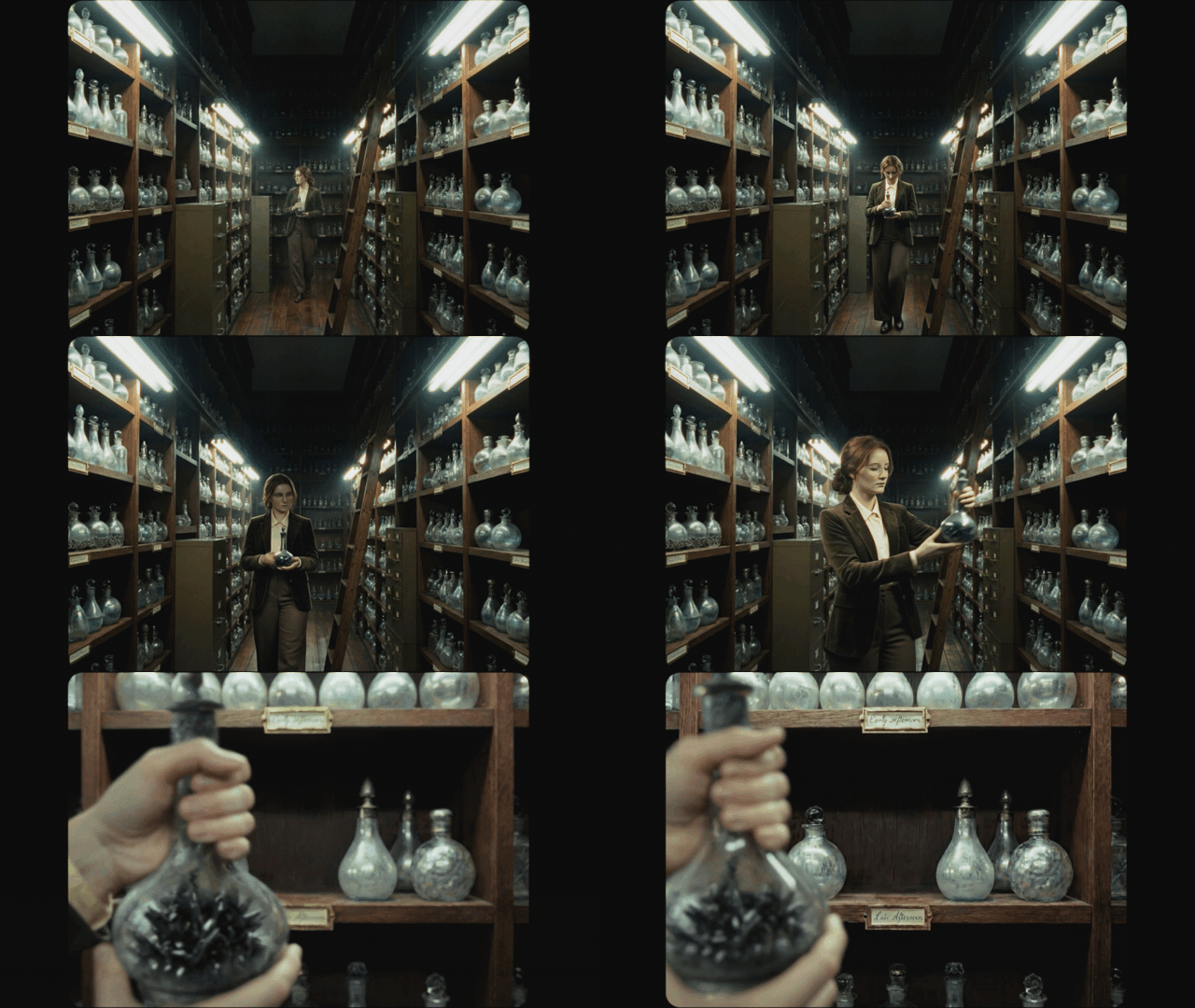
Decision 2: An Emotionally Complex Story with OCD Protagonist
Not only did I choose a confined space, I then set a story about order and precision inside it. Pearl's entire character is built on her love for order and clear rules. It's the setup we need for her to be able to evolve as a character later in the film.
Getting enough control over an AI character to convey "Placing this object precisely where it belongs brings me joy and peace" through acting alone, feels a bit like playing a souls-like game with a broken controller. (It is hard.)
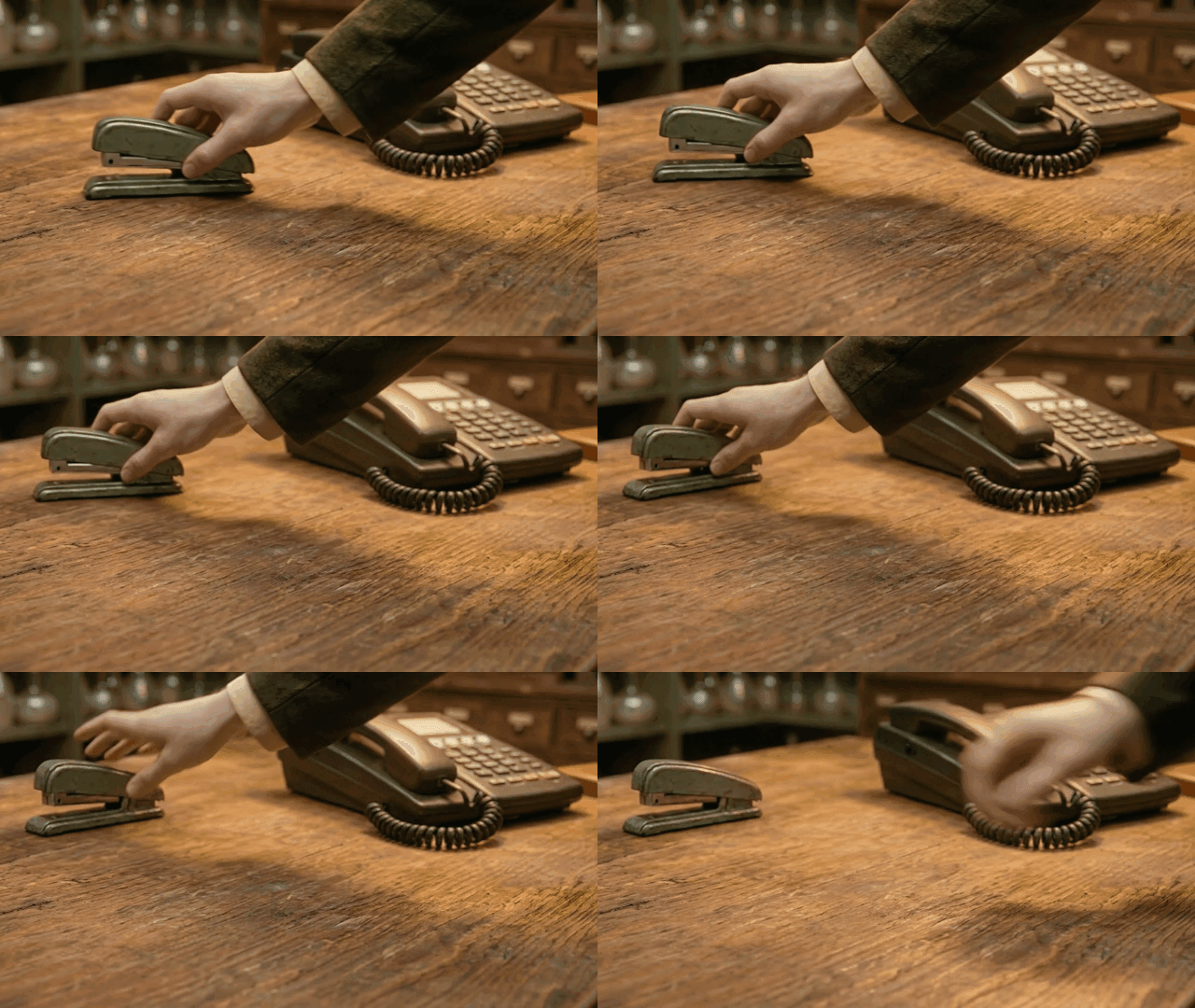
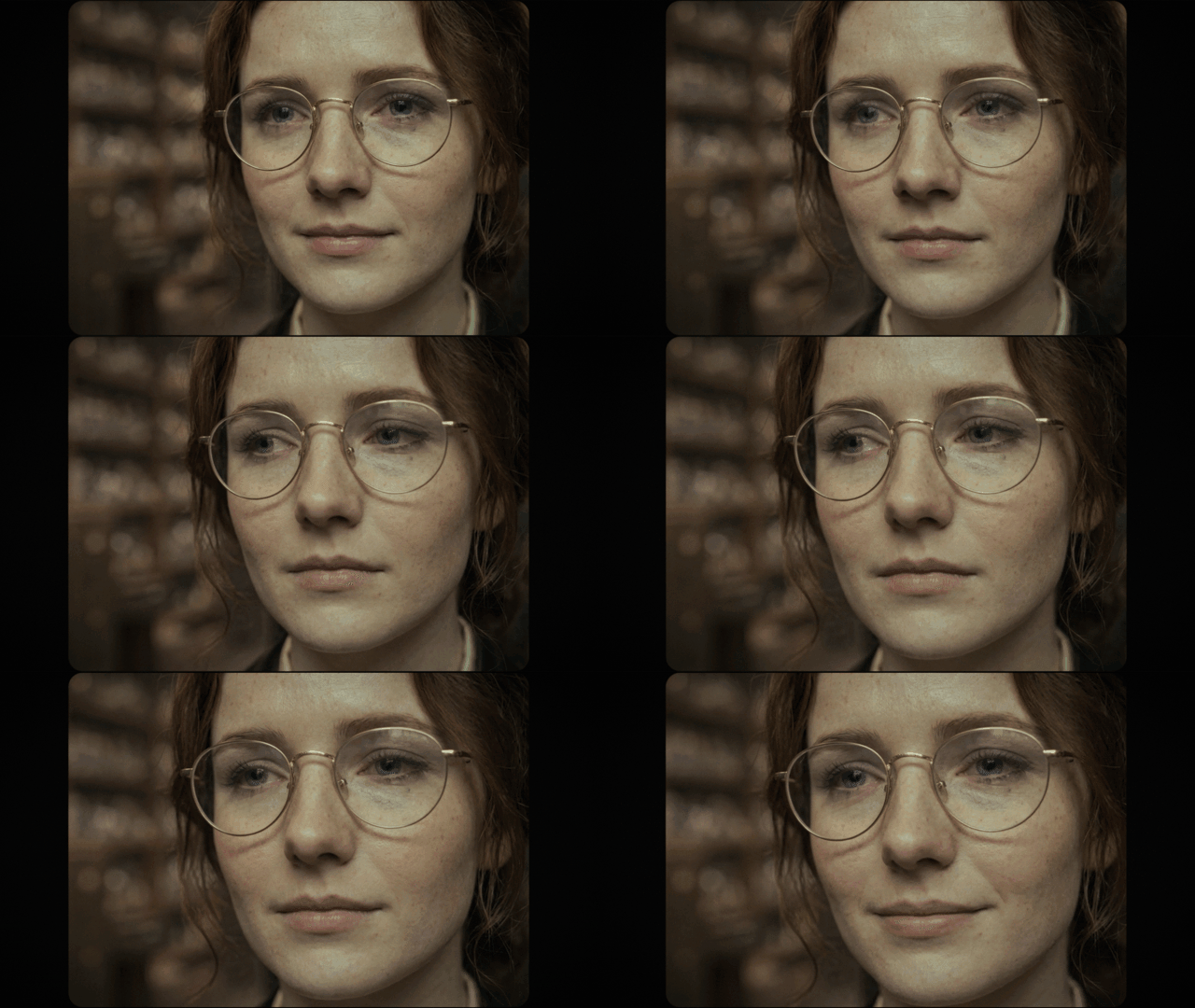
And then, because apparently I have no clear concept of work-life balance, I decided to tell a story about grief, tenderness, and quiet revelation. An intimate story that requires subtle acting and nuanced emotional performances.
Even with newer models like Seedance 2.0 and Kling 3.0 this is arguably the hardest challenge in this space right now. Aaand I chose it anyway. See: ambitious stupidity.
Decision 3: Bespoke Props (or: How to Confuse an AI with Objects That Don't Exist)
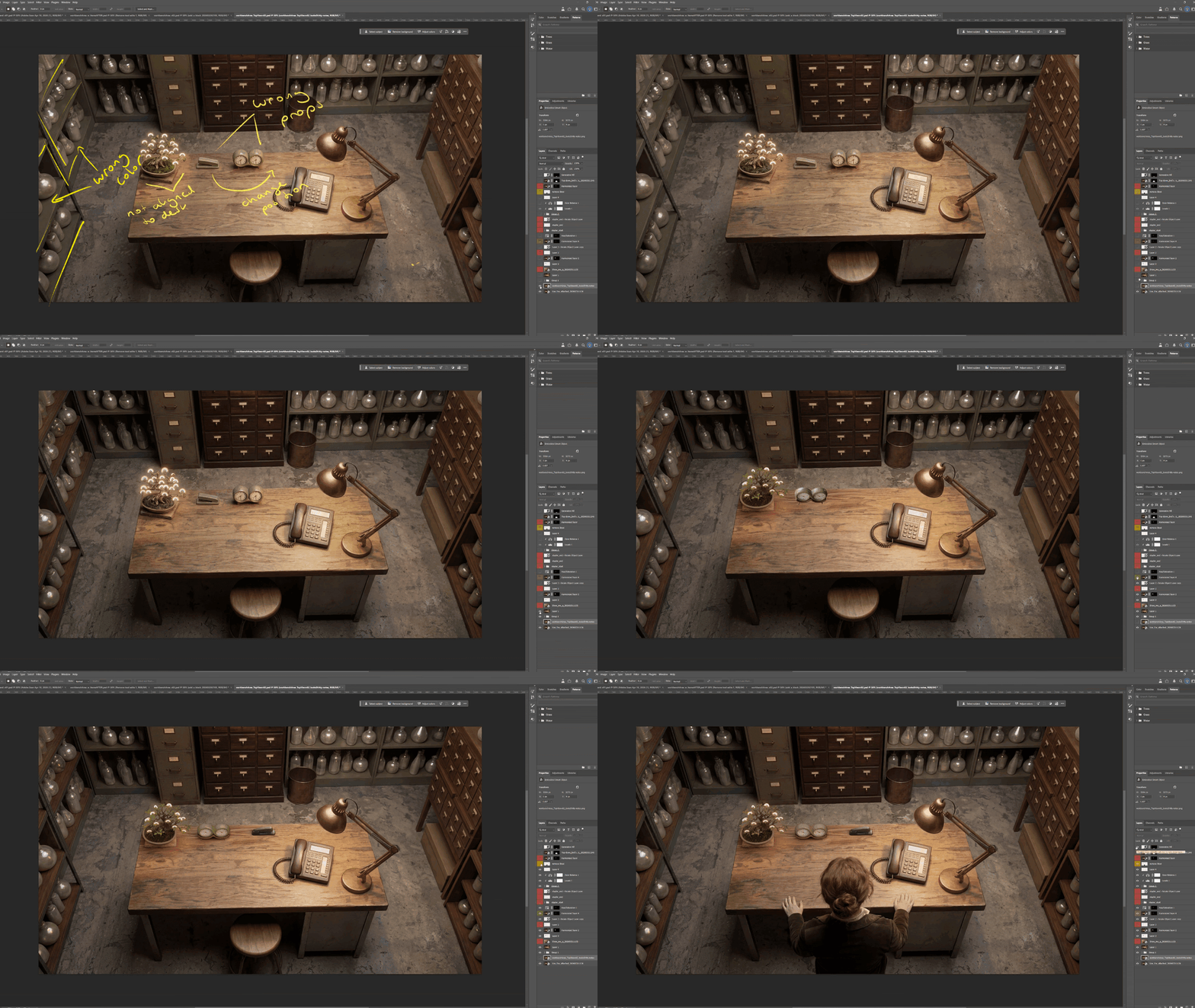
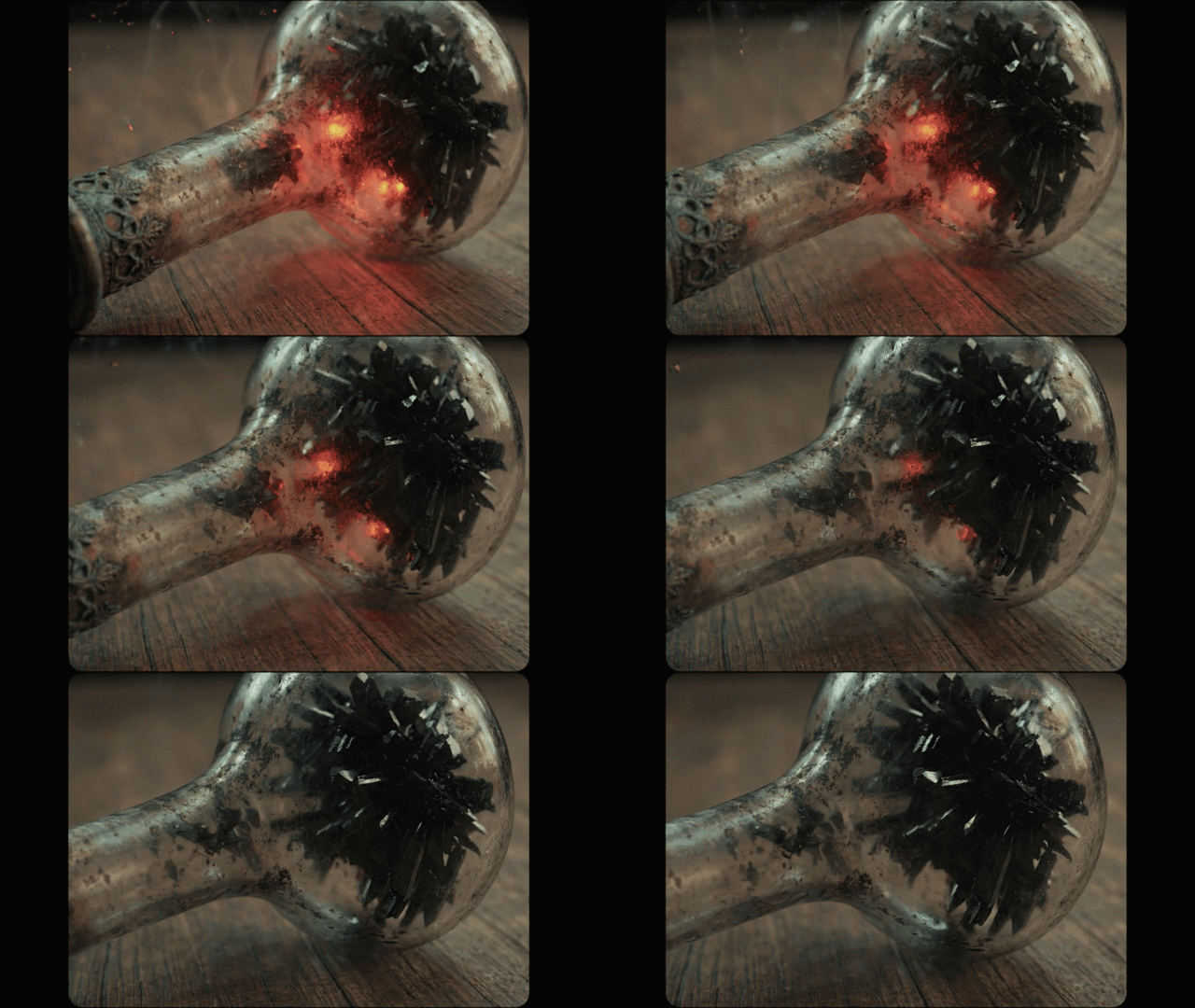
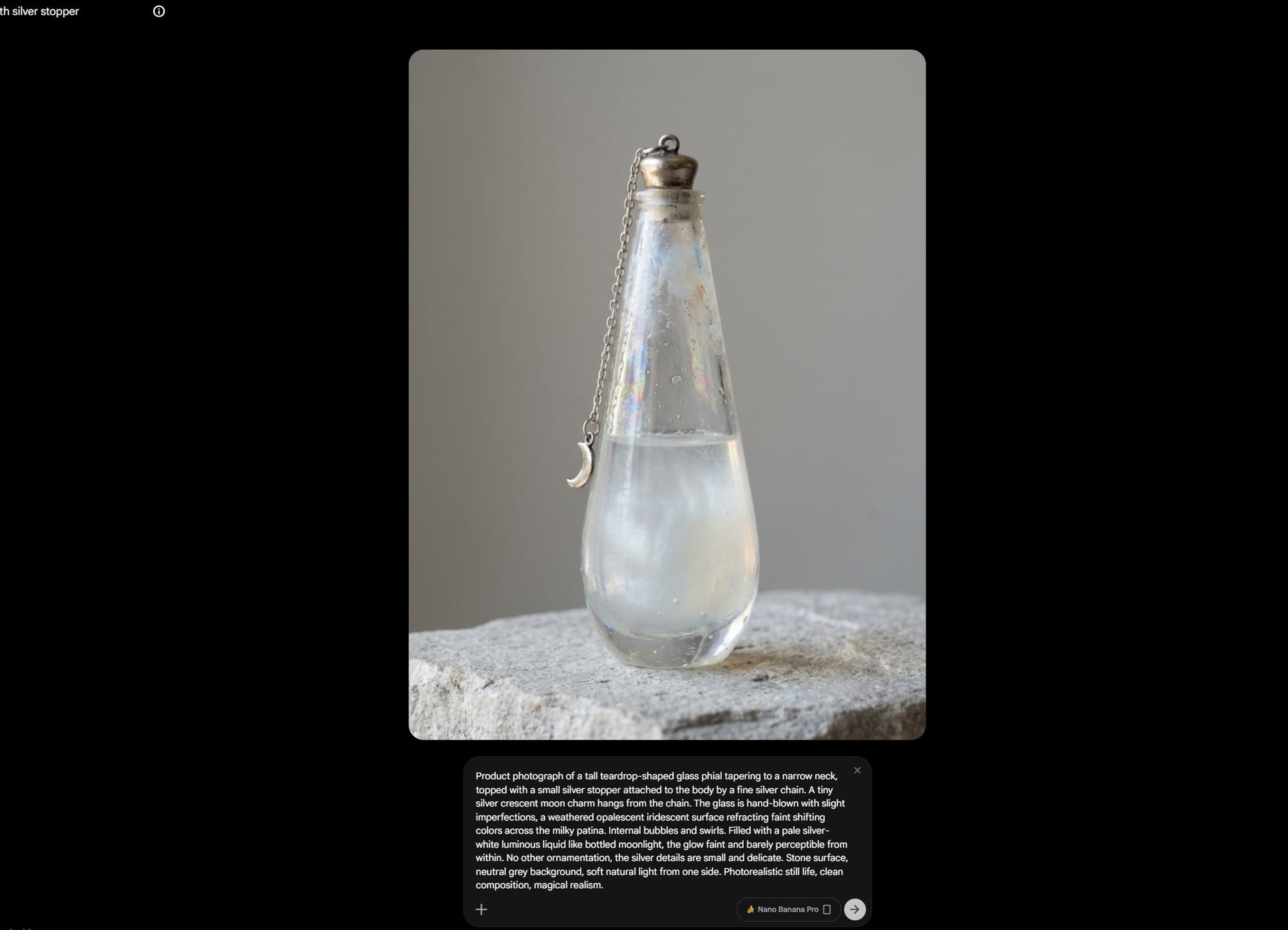
The archive needed to feel like a grounded, but also slightly otherworldly space, so I designed several bespoke props that don't exist in reality. Two of the trickiest were the double-infinity clock and the glowing rainbow blossom bonsai (which also tell us more about who Pearl our main character is.)
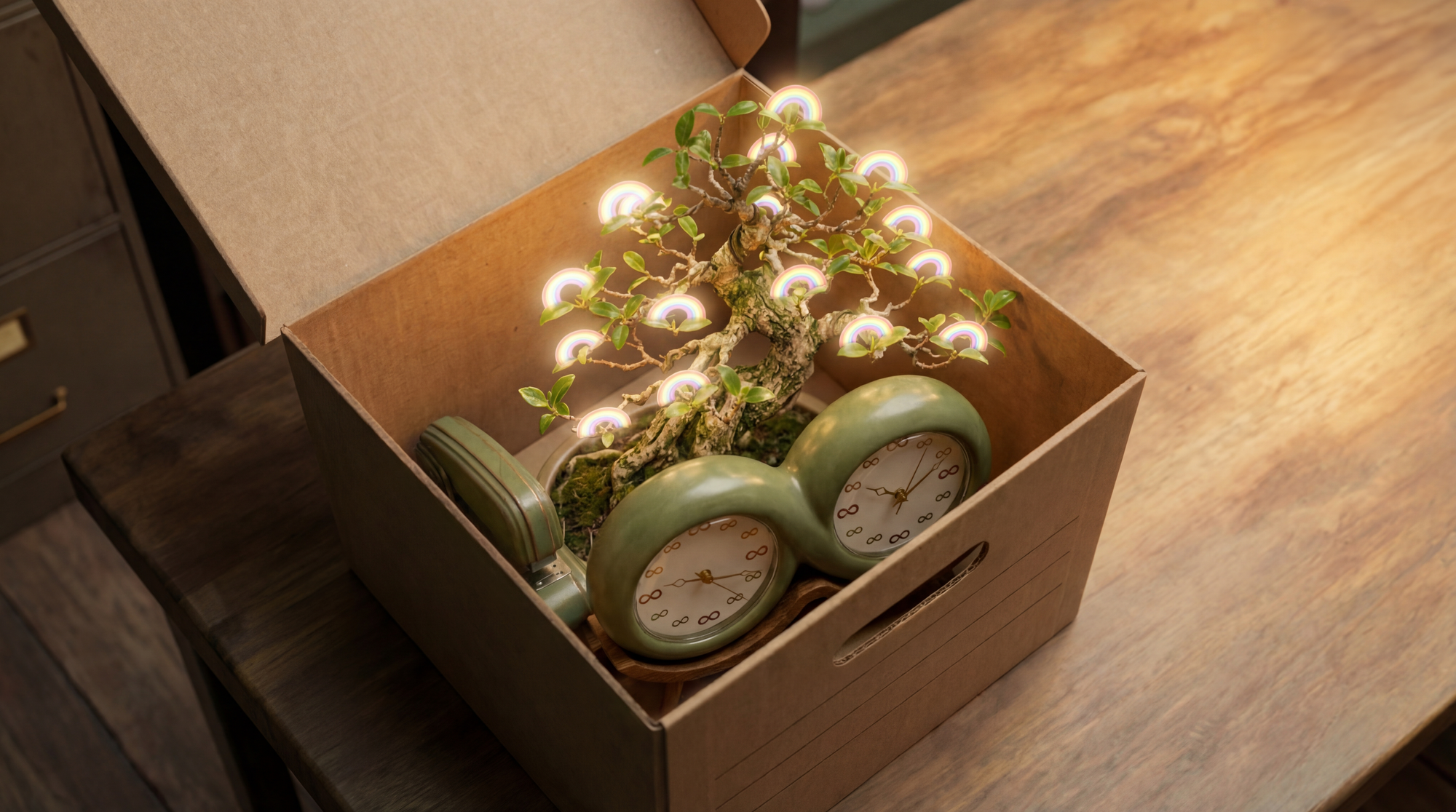
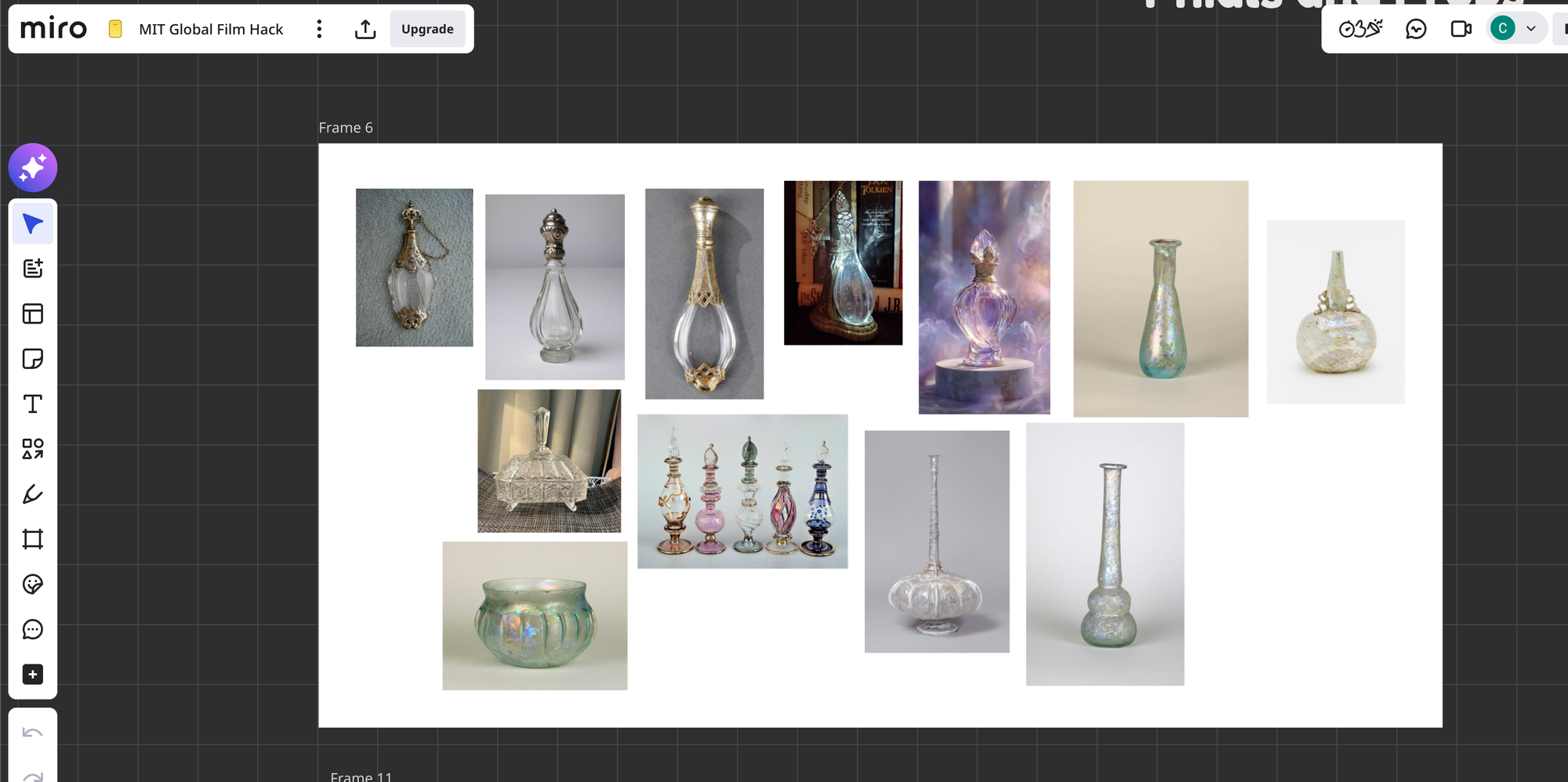
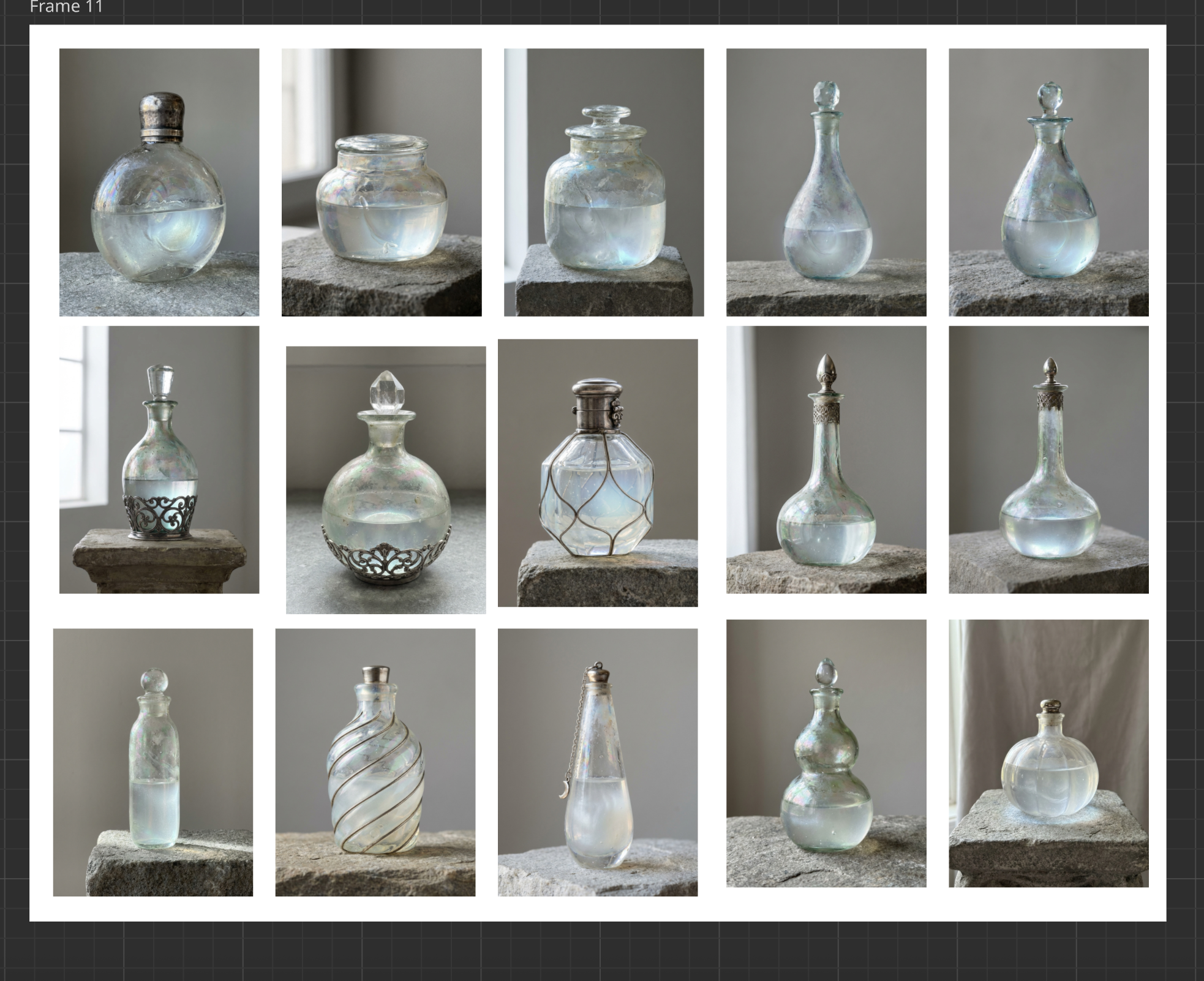
I created detailed mood boards for every prop and every set area. I sourced reference images, generated the image of the props, created multi angle grids and used those grids as visual anchors during generation.
The problem with made-up objects is that the AI has no training data for them. Consistency was extremely tricky. Getting the clock to look right once was easy, but getting it to look the same way in five different shots from five different angles while in the same exact spot was tricky even with references.
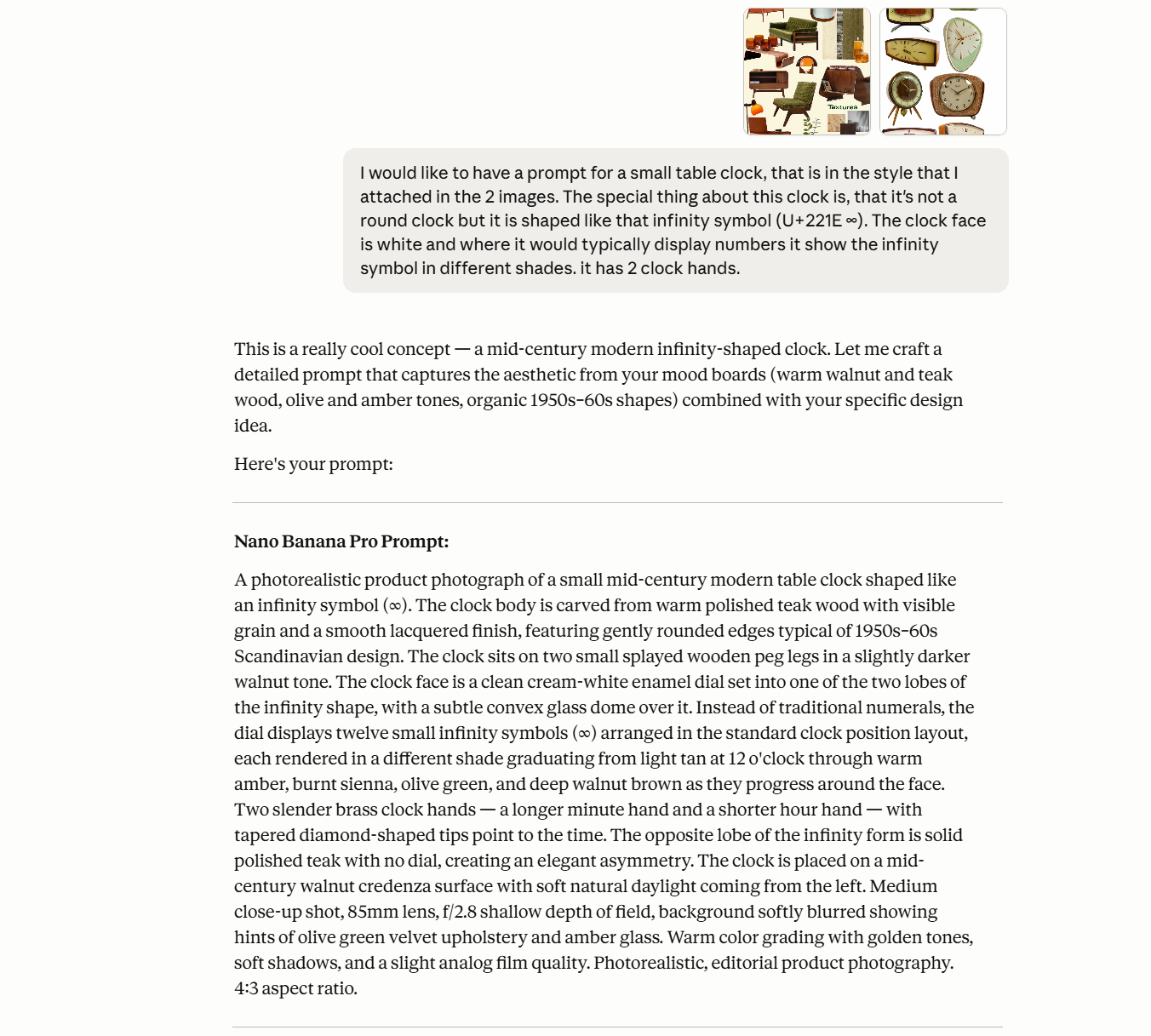
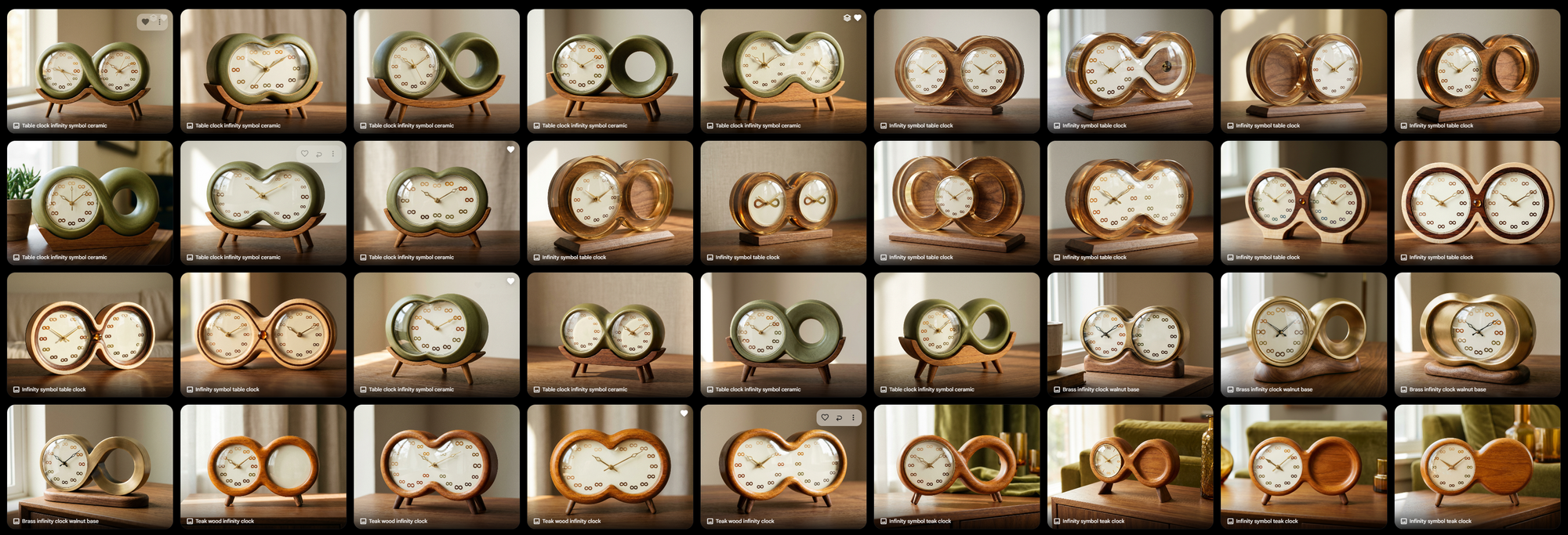
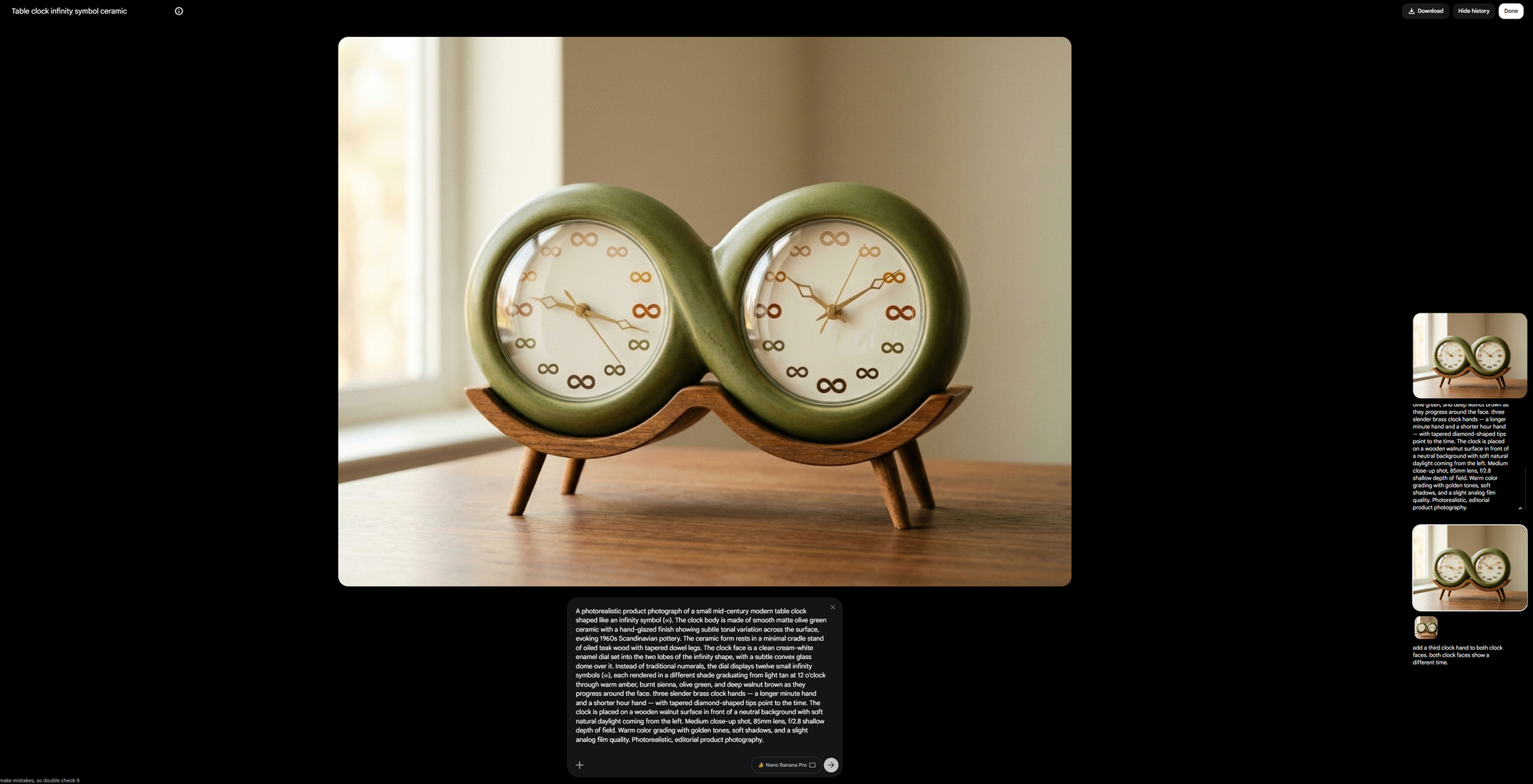
But I didn't want to leave the look of this world to chance, I wanted to direct it, the same way you'd direct a production designer on a live-action set. Eventually this became a back and forth between Photoshop and Nano Banana Pro to get the perfect image.
Time vs. Story
Unsurprisingly 50% of my time was spent on story. Not image generation, not video, not editing.
The hackathon is a sprint, and story doesn't sprint well in my opinion. You need to write something, walk away, come back the next day, realize the second act doesn't work, restructure it, realize the restructuring broke the ending, fix the ending, realize you now have thirty minutes of content that needs to be four minutes, and start trimming again.
This is the part in the AI filmmaking discourse that I think is heavily overlooked. Everyone wants to know what model you used, what resolution you generated at, what your prompt structure looks like. Rarely someone asks: "How many times did you throw out your story draft?" (Fourteen times. The answer is fourteen.)
"AI filmmaking" in the end is just filmmaking. You need a clear vision and make conscious decisions to get it on screen. And that will always take time.
One example of scope management: I originally envisioned the moment where the phial "turns bad" as a much bigger set piece: a ripple of chaos spreading through the archive, knocking things off shelves, disrupting the order that Pearl has so carefully maintained. It was going to be visually dramatic and narratively satisfying. It also would have required generating another post-ripple design of the space that needed to remain consistent throughout the second half of the film. I turned it into a more intimate moment to solve the problem.
Mercifully, this decision served both the story and the deadline.
The Human Touch: Handwriting as Soul
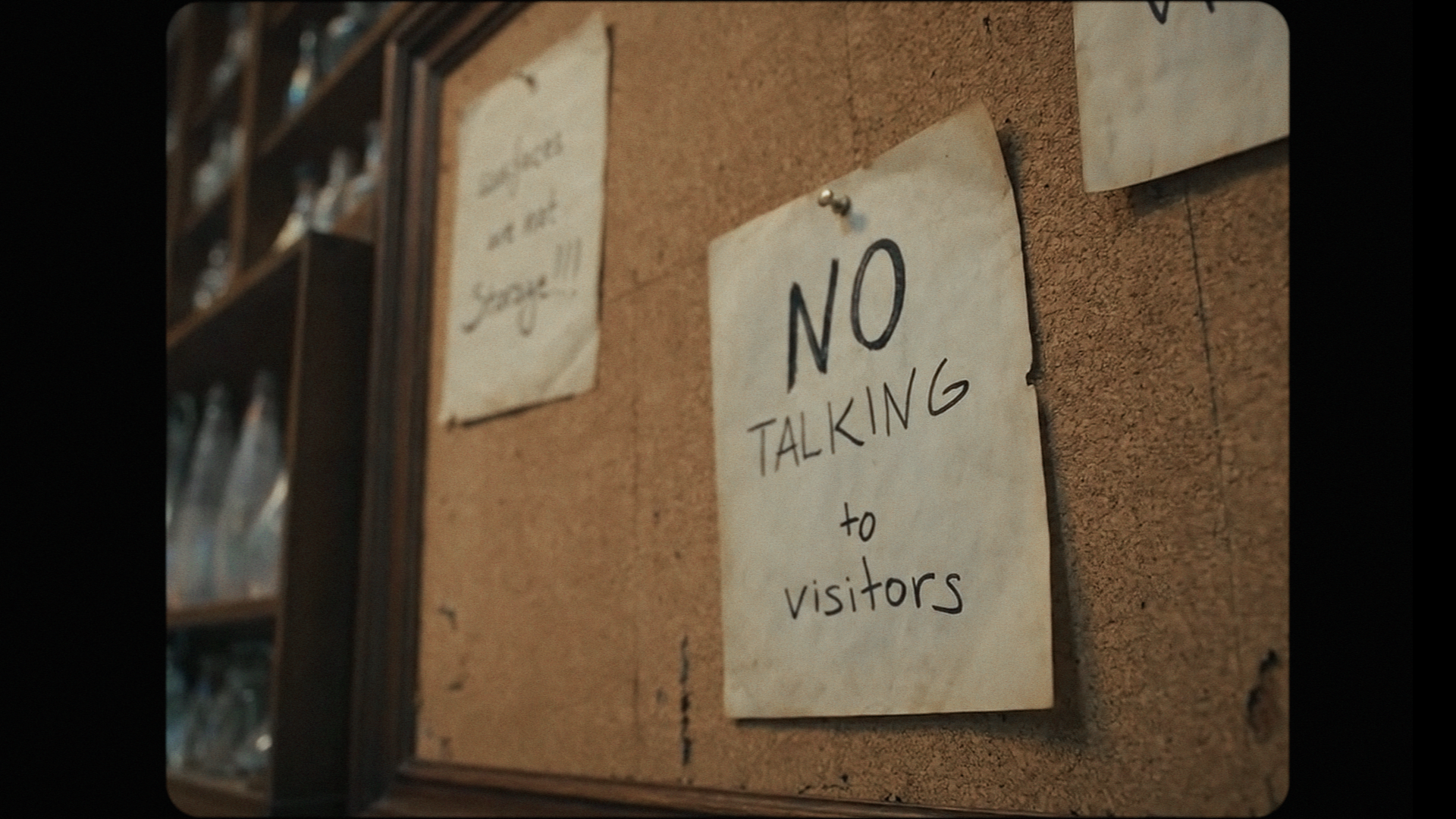
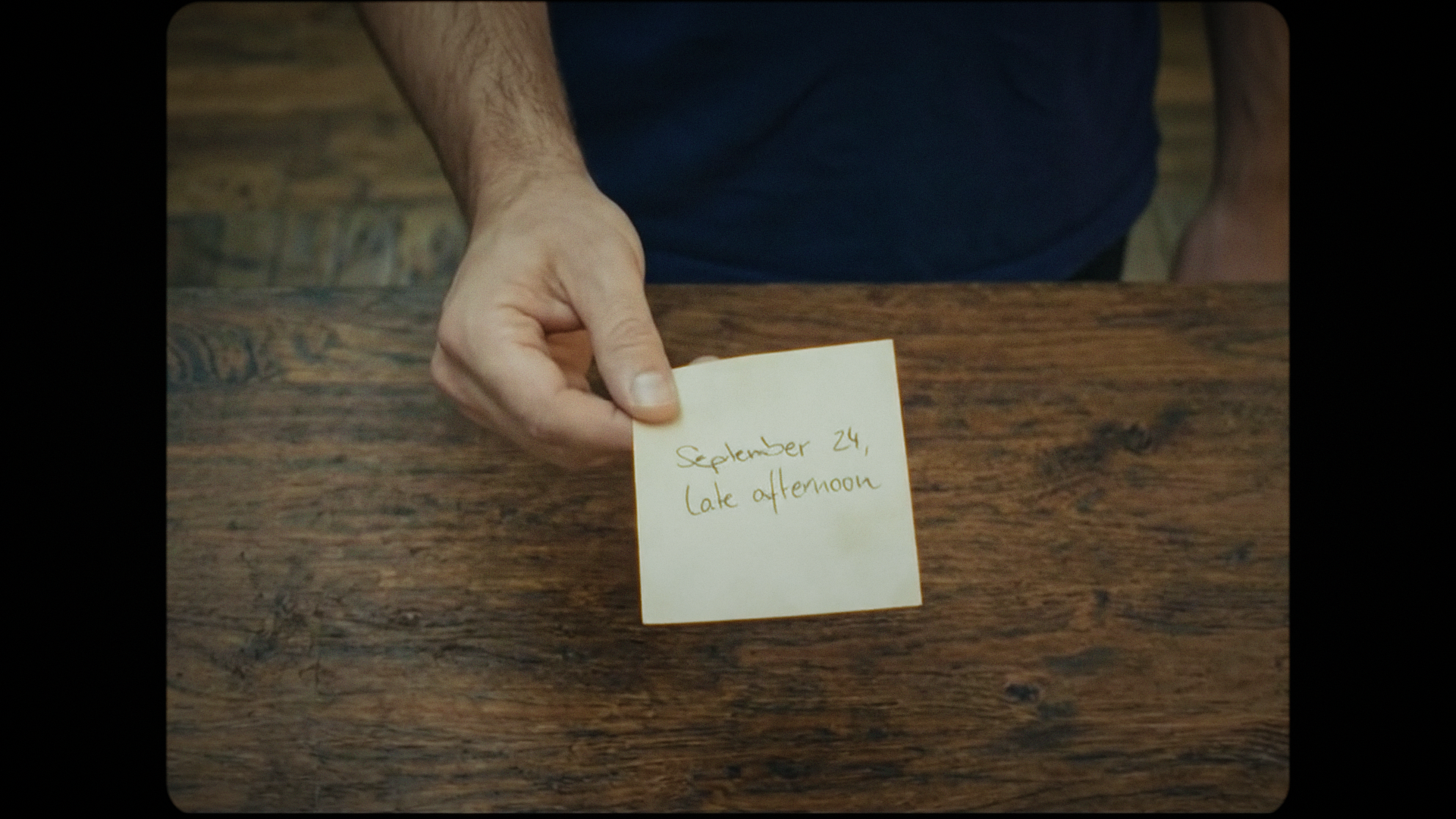
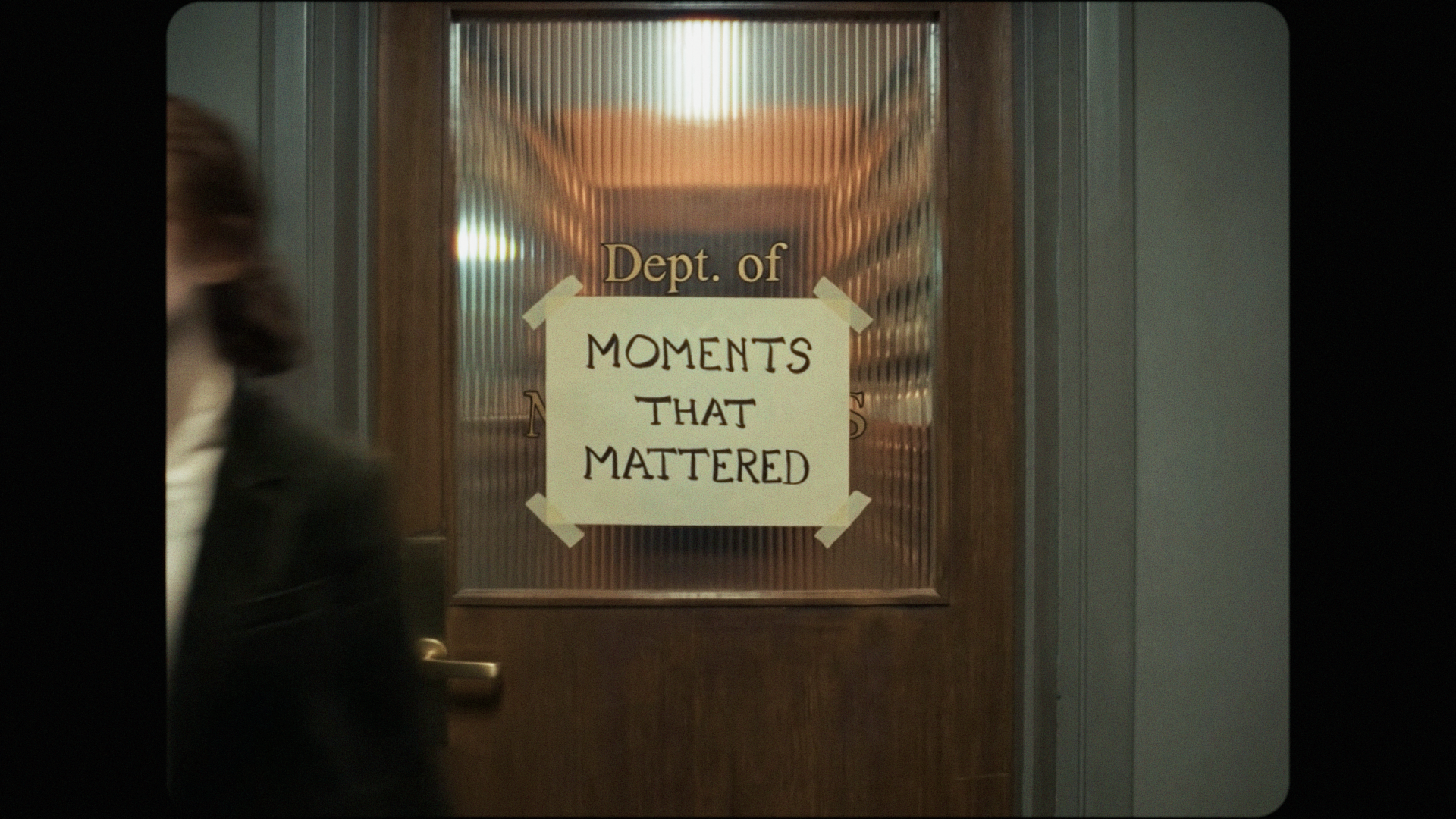
One of the details I'm proudest of is also one of the least technically impressive: the handwritten notes and posters you see throughout the film are written by myself on actual paper to get the authenticity and personality AI couldn't produce.
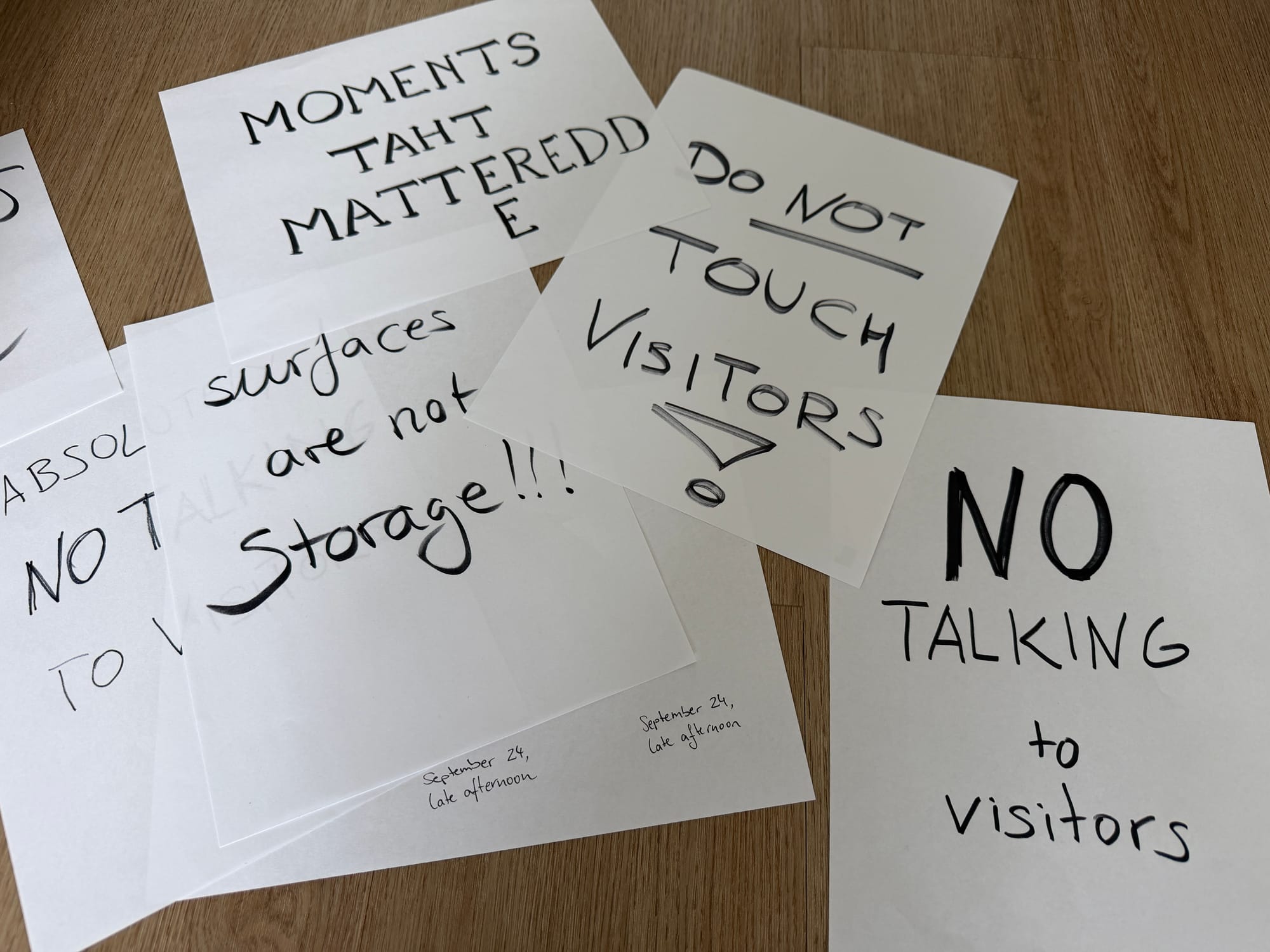
The process was: I'd write a note or sign by hand, scan it, generate an image with a blank piece of paper in the right position, photoshop'ed my scanned handwriting onto the blank paper in the generated image, and then use that composited image as a reference for video generation. Once I had the keyframe, the models keep the writing consistent in all videos.
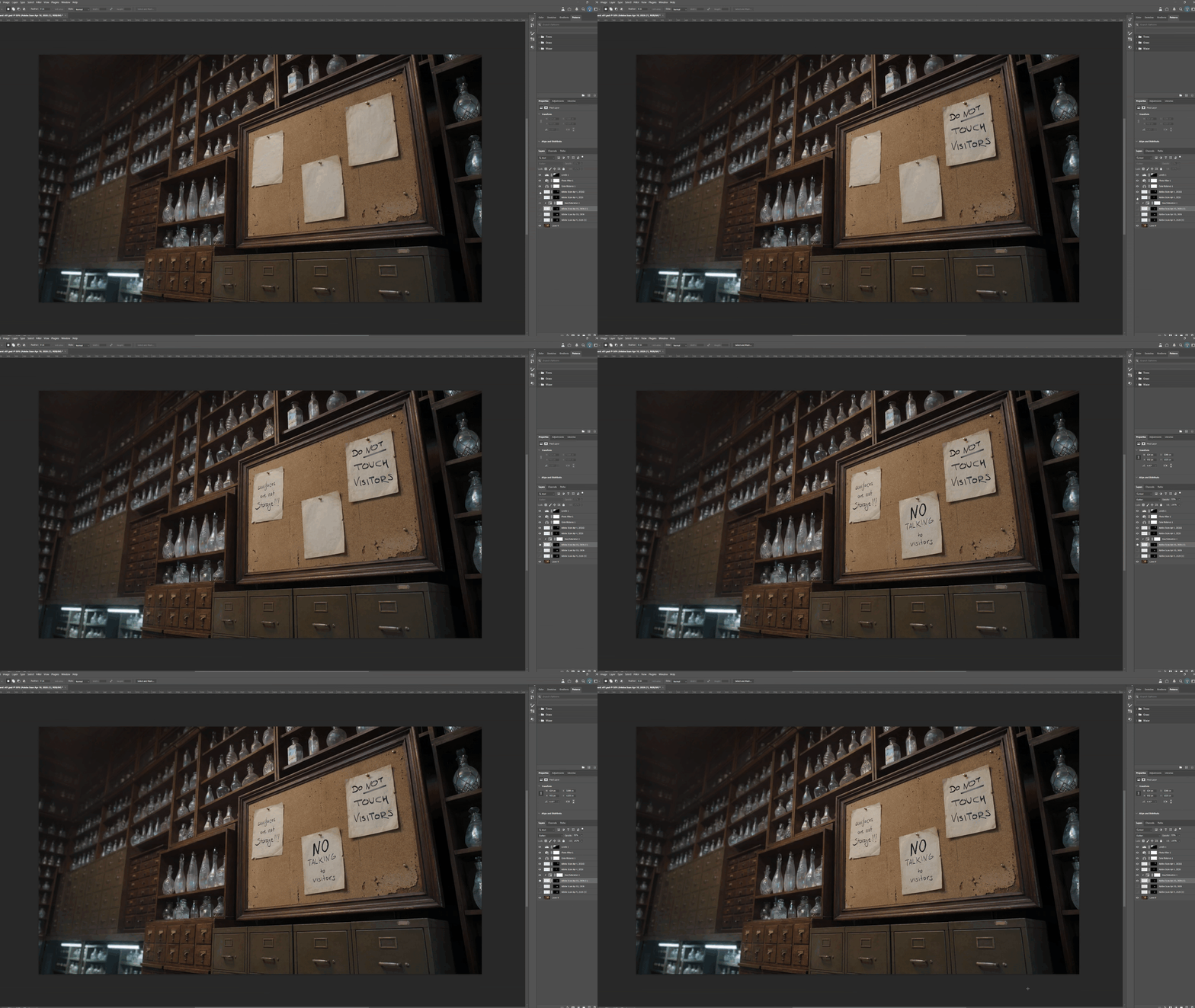
In a film made almost entirely by AI, this feels like a cool 'easter-egg' and makes it feel very personal to me.
Claude as Creative Partner (Not Creative Director)
I used Claude for three distinct roles during production.
Role 1: Screenwriting Aid
Attempt 1: "Write My Script" (Result: Meh)
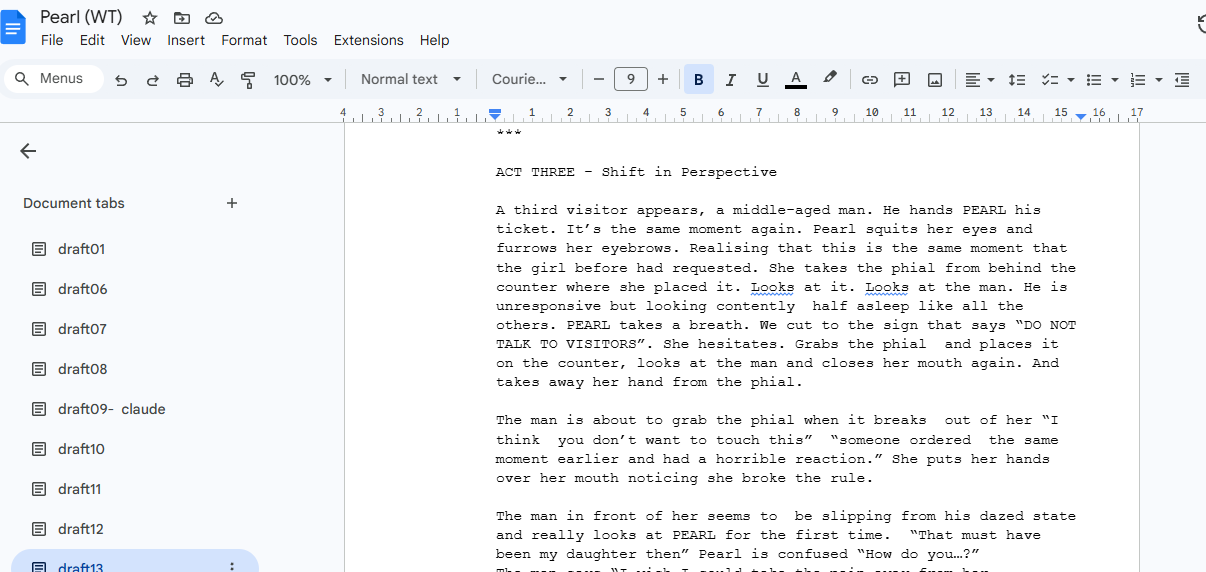
First, I tried having Claude help me write my script. Feeding it the rough story and asking to fill in the gaps. It was okayish but not mine, and not really getting the emotional arcs right. So I sat down to write the three-page draft myself like the old, traditionalist Millennial that I am.
Attempt 2: "Critique My Script" (Result: Extremely Useful)
What worked much better was using Claude as a story consultant. Instead of asking it to write, I asked it to read and critique my work:
I asked questions that would help me refine the story like "What do you think is the message of this film?" "Can you relate to the main character? And if not, explain why." "Do you see any plot holes in the logic of this story world?"
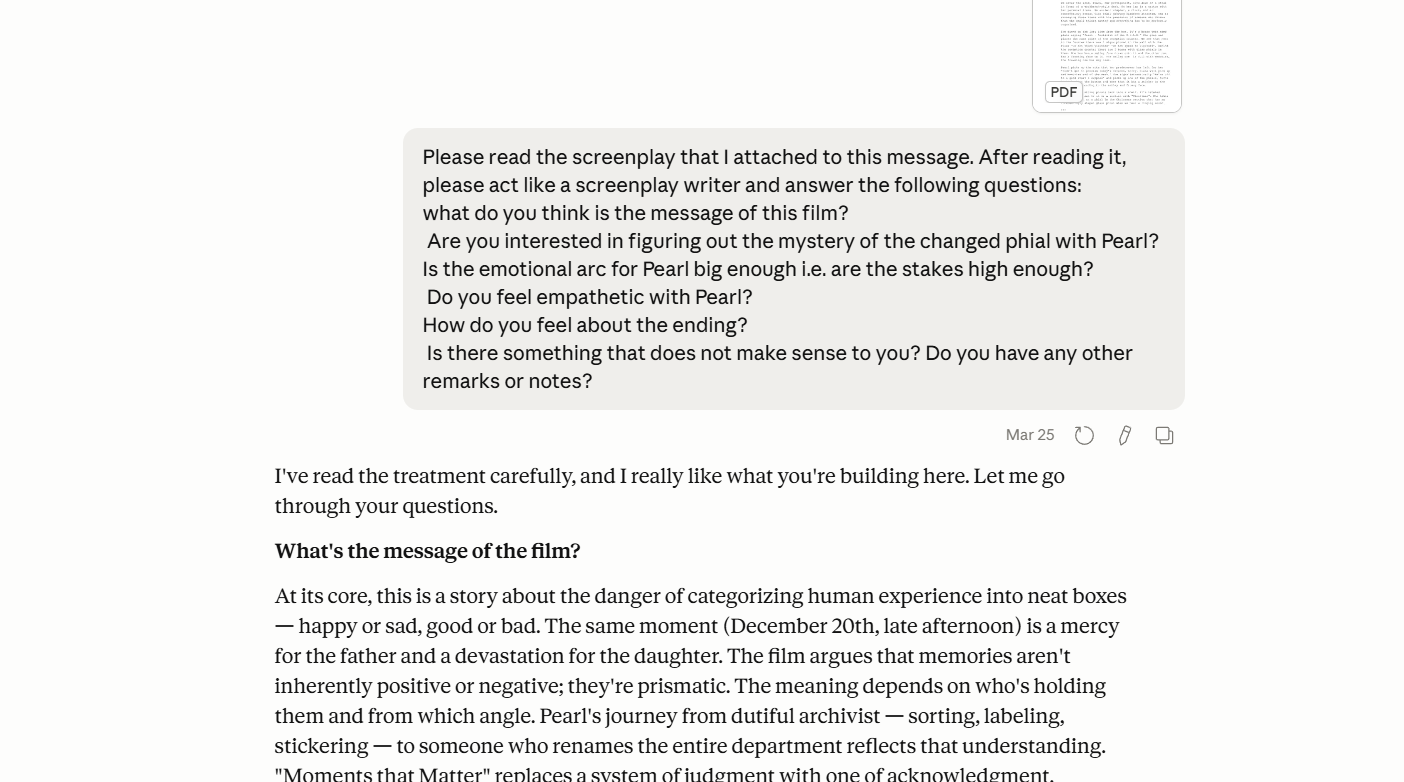
This was way more productive. The critique was actionable, and interestingly enough the feedback process felt smoother than with another human, because Claude stayed on topic and delivered the feedback without the social weight of being judged. Giving feedback is an art in itself and sometimes can be very personal or hurtful even if it wasn't intended that way by the sender. I found it very easy to work with Claude's matter-of-fact responses in that regard.
There is the issue that the LLMs can become just another "Yes-man". I tried to avoid running into that by asking questions that are not simply answered by agreeing or disagreeing, but rather need a nuanced answer like "Yes I think the main character is relatable, however in scene XY her actions seem unreasonable because Z." This way it would highlight parts in the script that are incoherent or not well executed.
Role 2: Prompt Writing Co-Pilot
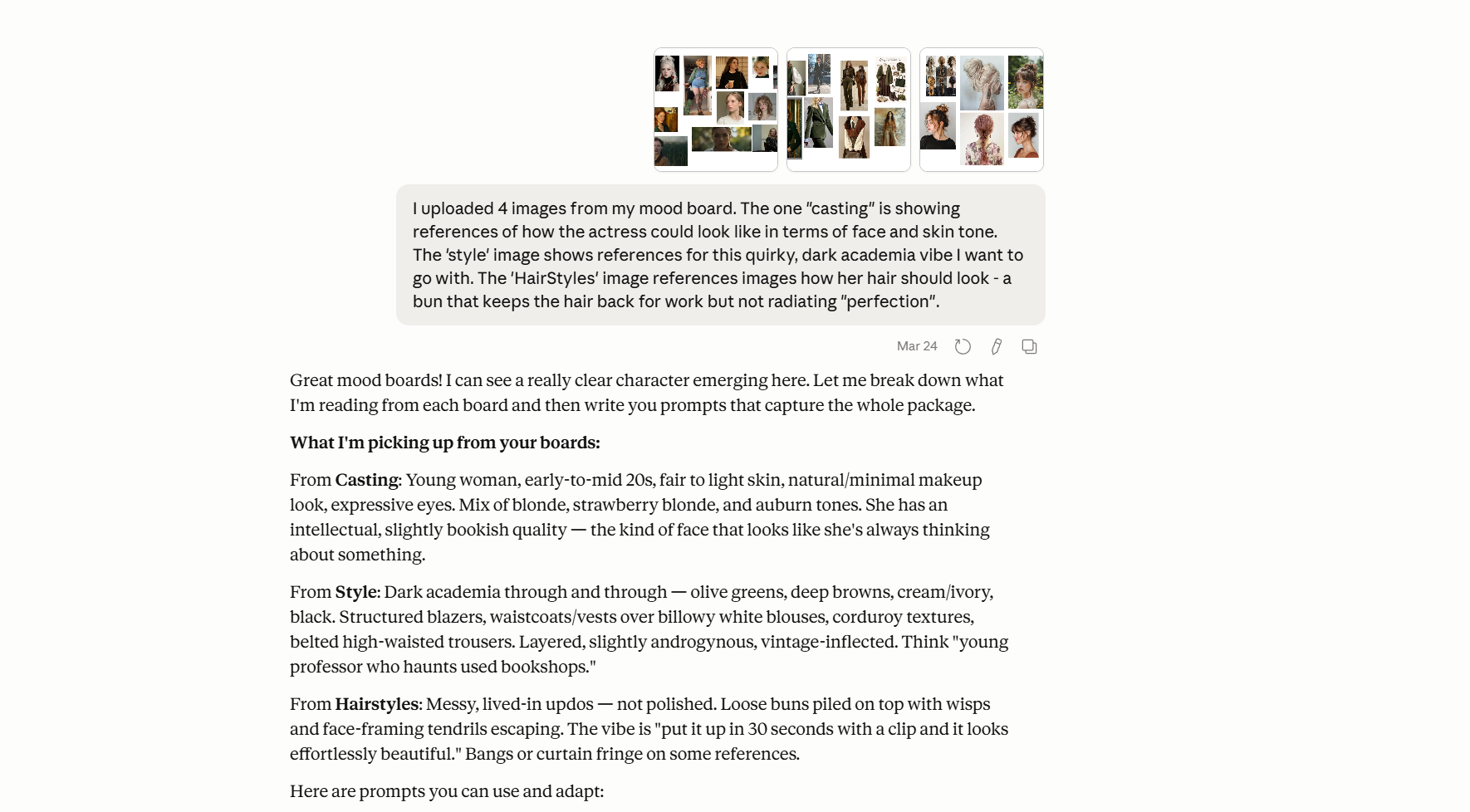
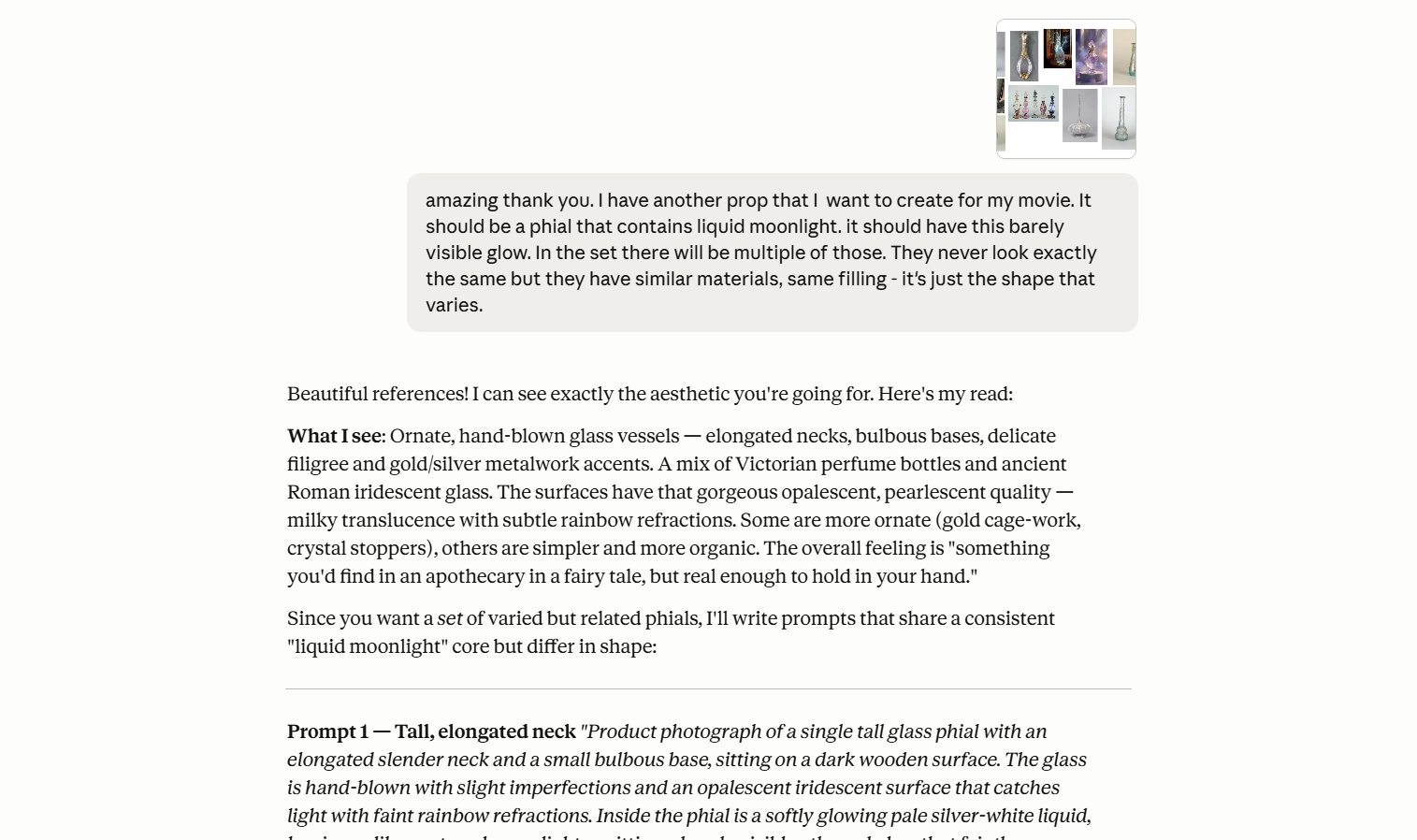
After finishing my mood boards and moving into asset creation, I used Claude to interpret my mood boards and craft prompts based on them. It did a great job at capturing the essence and I could refine the resulting prompts which sped up my workflow.
Once shot production started, I fed Claude all my location images, character reference sheets, and prop designs. Together we built a skill file (essentially a structured reference document) that Claude could consult when helping me write image and video generation prompts.
Instead of writing out Pearl's full description every time I could just write "Pearl" and Claude would expand it to the full locked character description, adjusted for what the camera would actually see in that shot.
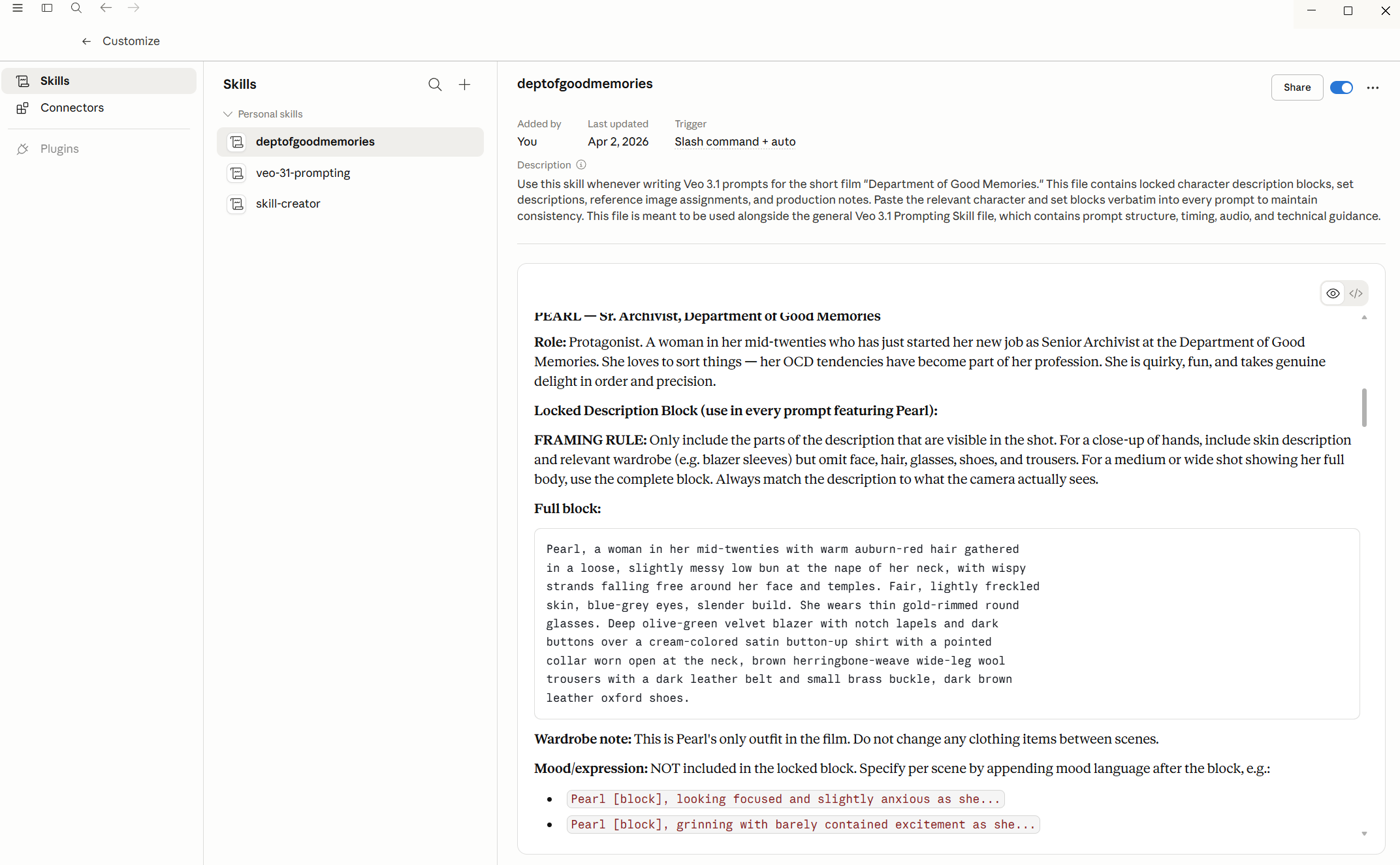
I also had Claude research prompting best practices for the specific tools I was using (Nano Banana Pro for images, Veo and Kling for video) and incorporated those findings into the skill files.
Role 3: Dialogue Polish
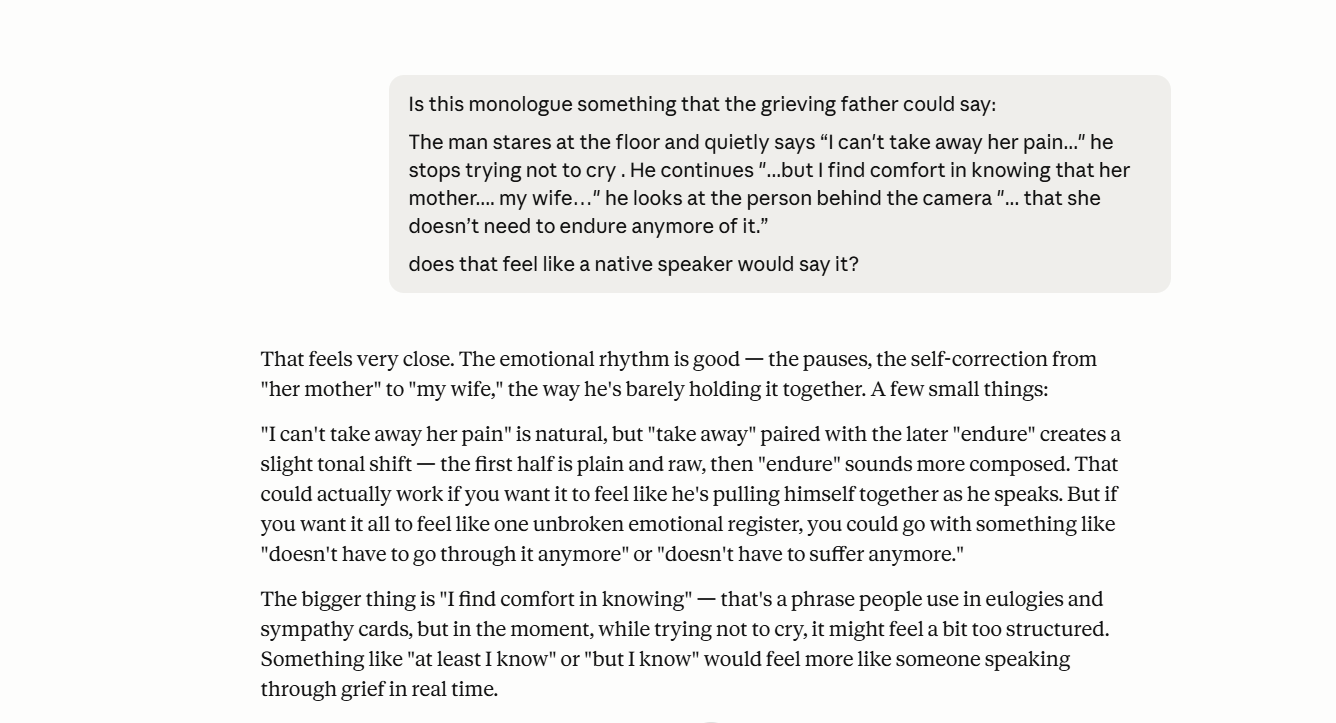
Since I'm not a native English speaker, I used Claude to sanity-check dialogue. "Does this sound like something a real person would say?" The kind of thing you'd ask a trusted friend who happens to be a native speaker. Except this particular friend is available at 3AM while you are rewriting dialogue on your phone in bed right before falling asleep.
The Other Tools
Organization: Miro as Mission Control
I love Miro to organize everything from mood boards, storyboard sketches to script pages with handwritten annotations in the margins. Everything is accessible at one glance.
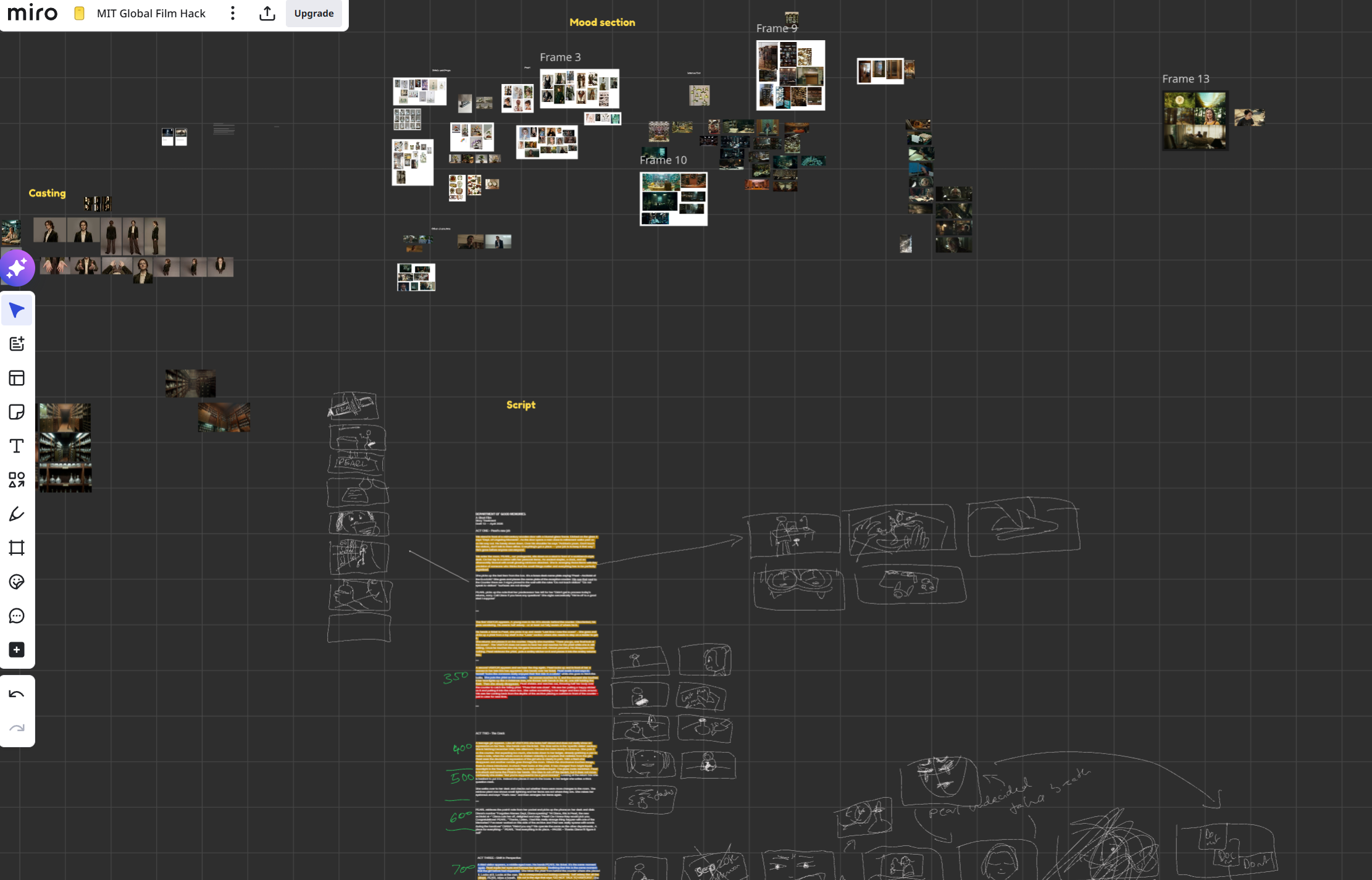
Image Generation: Nano Banana Pro
Virtually all images were generated using Google's Nano Banana Pro, and 99.9% of video clips started from an image, not from text alone. Image-to-video gives you dramatically more control than text-to-video, especially when your continuity requirements are high.
A few things I learned and would recommend:
Mood boards as input work brilliantly. Nano Banana Pro is great at reading mood boards and grid images. For the phial-lined shelves, I'd feed it a mood board showing the exact phial props that should be populated throughout the archive.
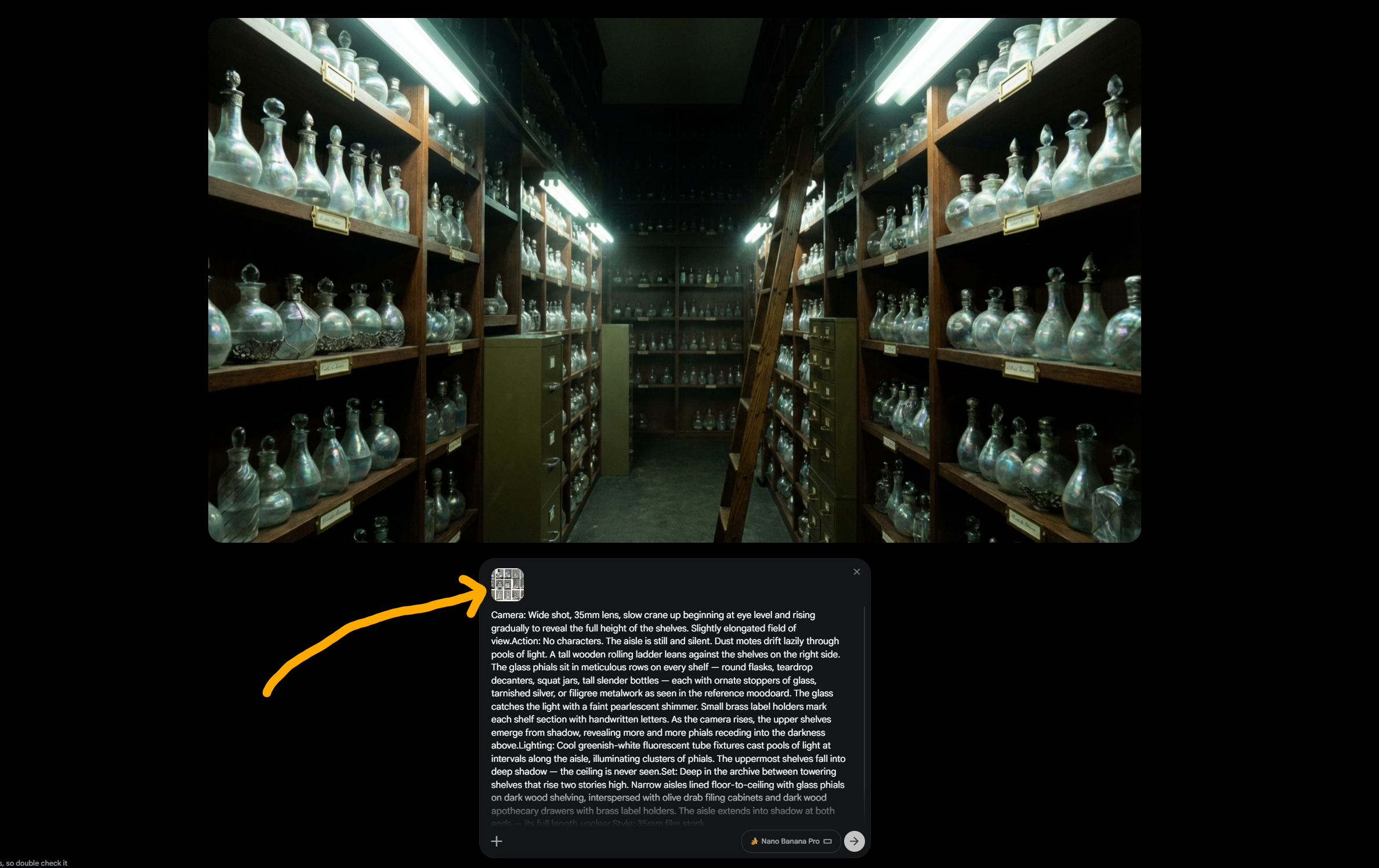
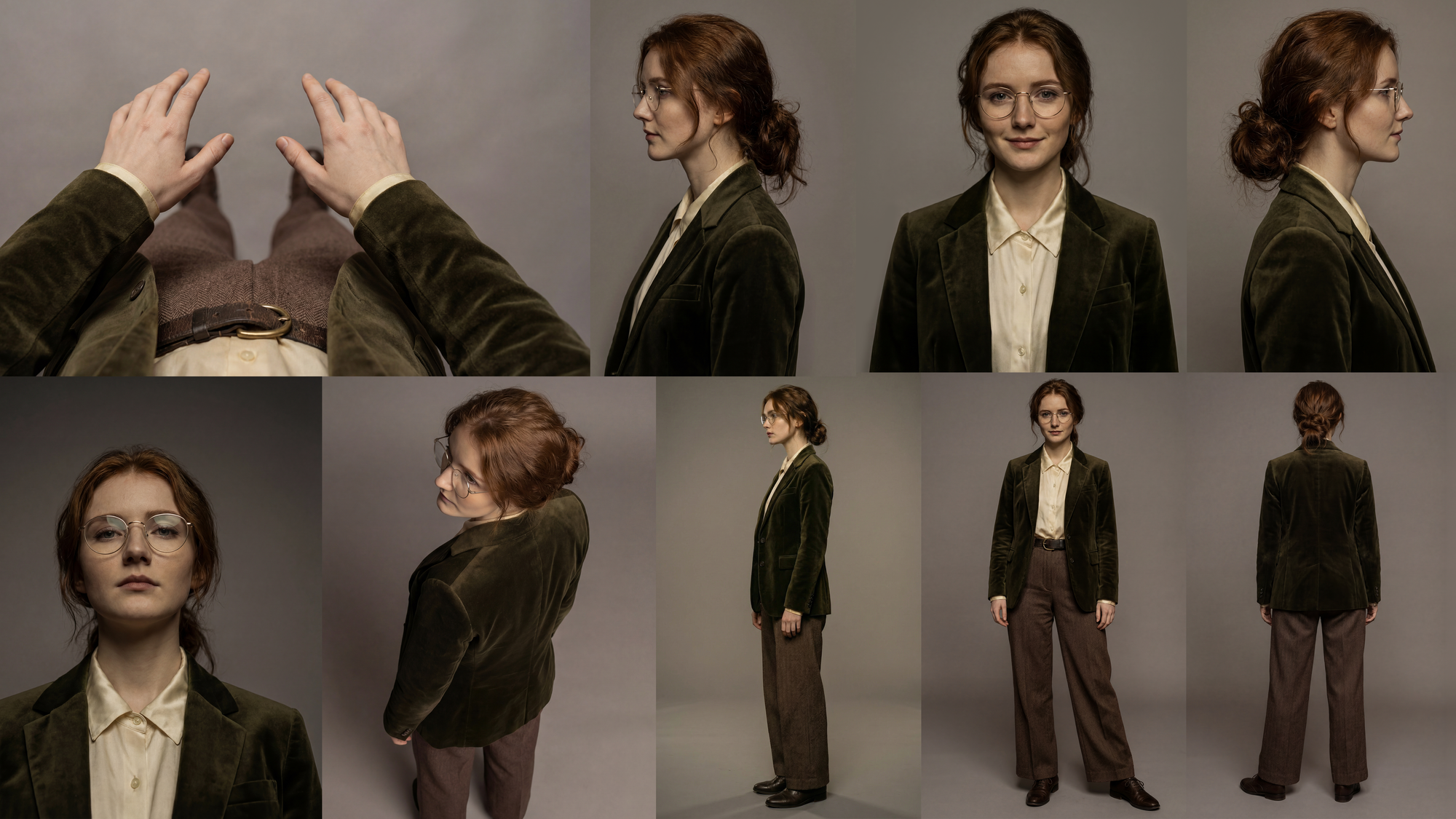
For Pearl, I created grid images showing her from multiple angles: a portrait grid for close-ups, a full-body grid for wider shots. If you feed a full-body reference and prompt for a close-up, the model still tends to pull the composition wider than you want.
Resolution matters (sometimes). I used Google Flow for most of my Nano Banana Pro generations, which outputs images at 1K and can be upscaled after. For shots that needed fine detail (facial close-ups with visible skin texture, or wide shots with dozens of readable phials) the 1K pixel space sometimes wasn't leading to great results. I'd jump to PixVerse (one of the hackathon sponsors) for 4K Nano Banana Pro generations in those cases to get the native 4K resolution through their API access.
Video Generation: Veo + Kling
Google Flow using Veo 3.1 Fast (low priority) was my default for video generation. This was an economic decision, because AI filmmaking is an iteration-heavy process. Choosing this model I could generate unlimited clips without burning credits. (requires the Google AI Ultra plan)
For shots that needed subtle emotional acting or complex movement sequences I switched to Kling 3.0 Omni. I used it through two of the sponsor platforms: TapNow and OpenArt.
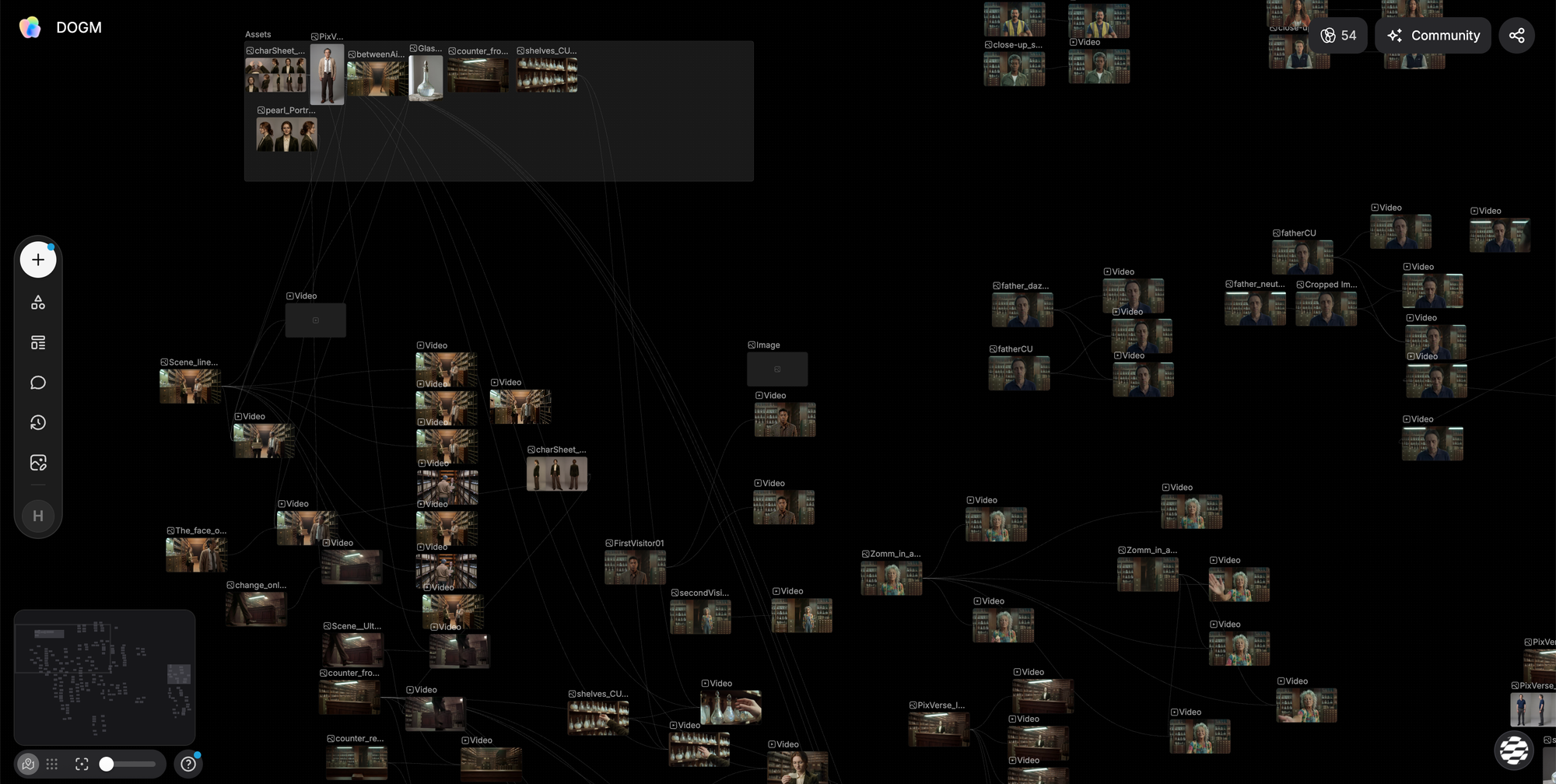
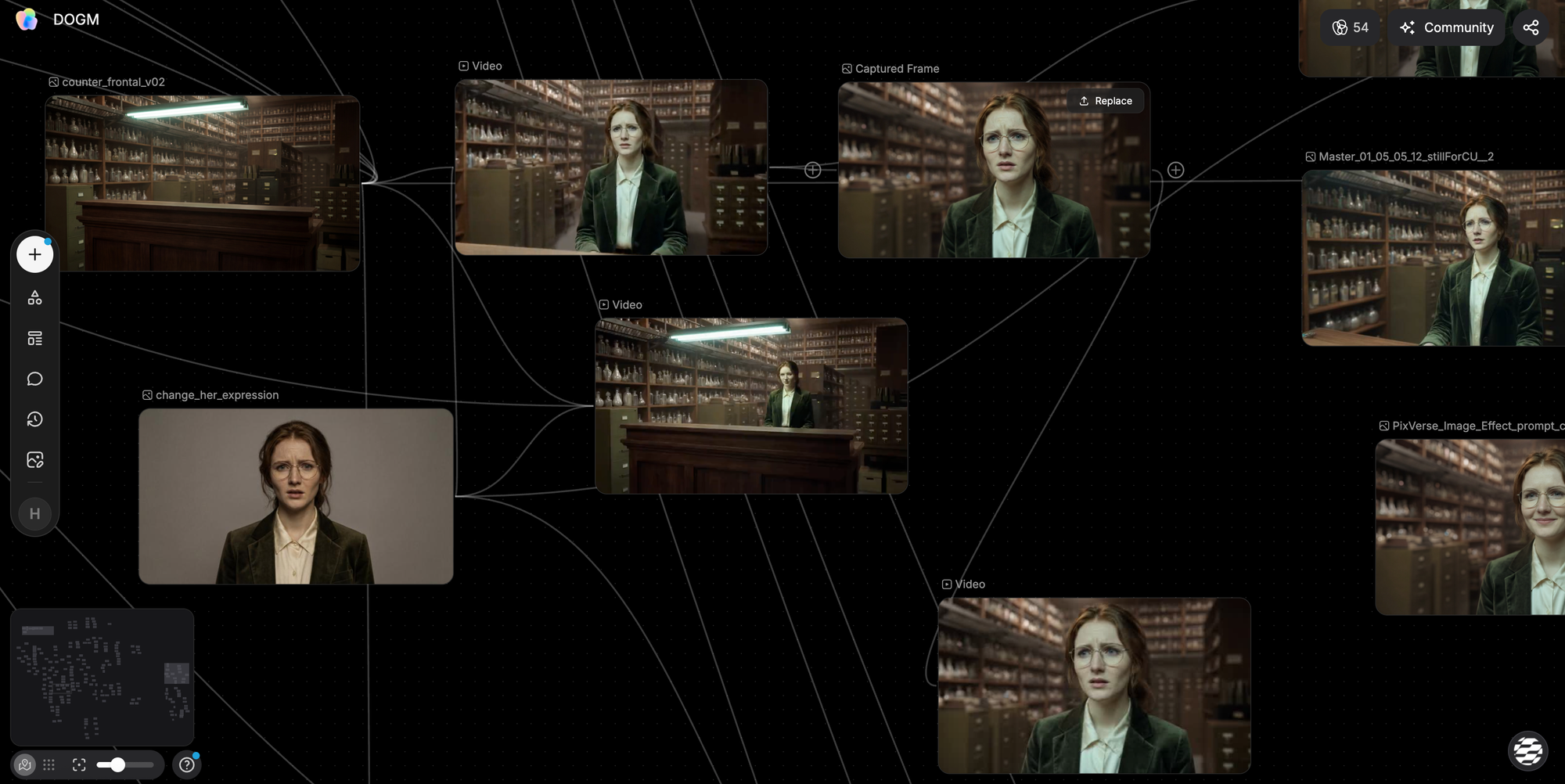
Both had their strengths. TapNow's node-based workflow felt most intuitive to me and it has a lot of quality-of-life tools like the ability to make character sheet images as assets that can be added quickly.
But OpenArt's Multi-Shot feature for Kling 3.0 Omni was also really cool: you could describe a jump cut from a medium shot to a close-up in a single generation, define references for both, decide the length of the shot and maintain acting consistency across both shots.
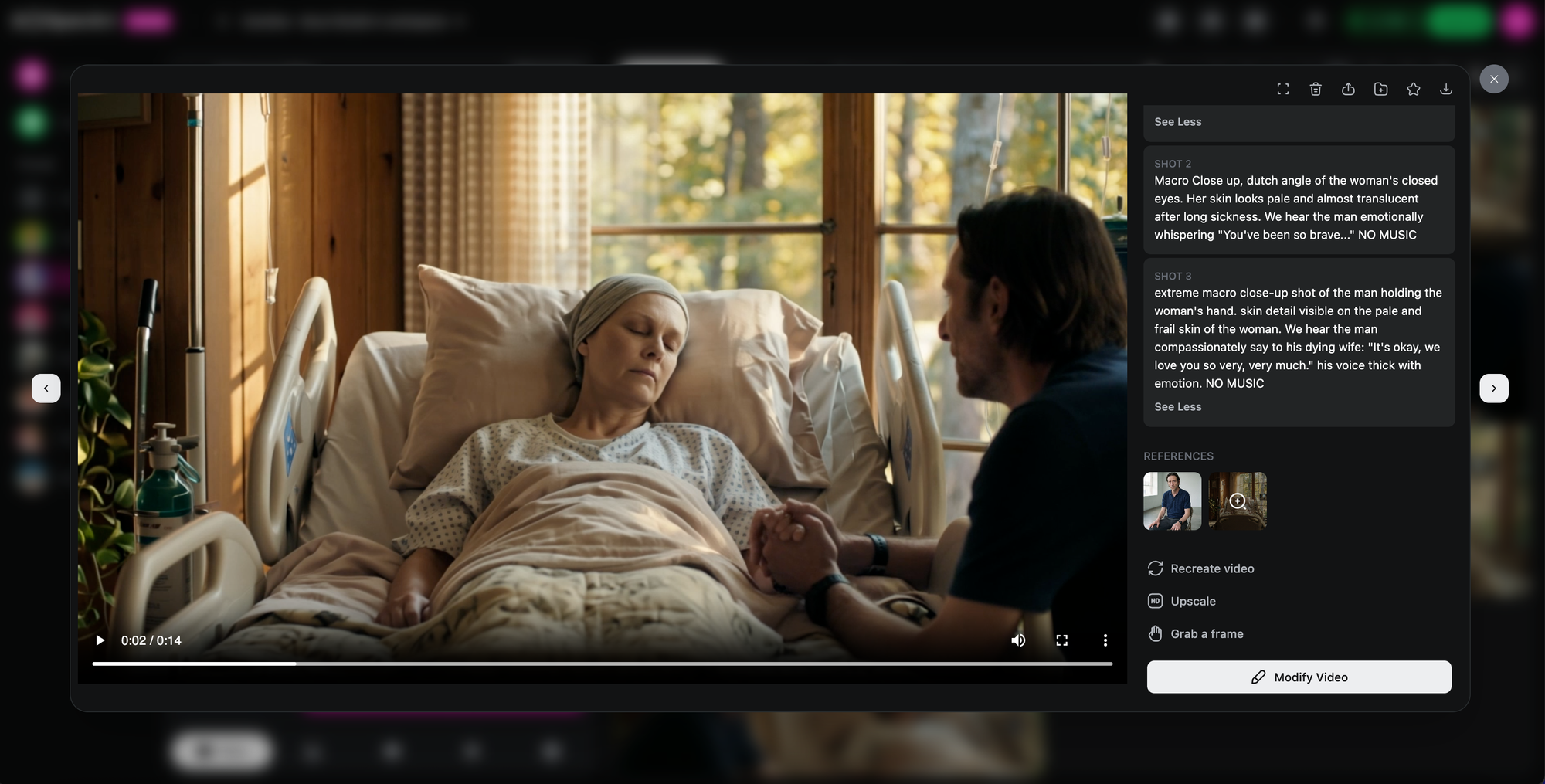
Expression images as supplements. For emotional close-ups, I generated separate reference images of Pearl with specific facial expressions and fed those alongside the character sheet. The expression image would guide the mood while the character sheet maintained identity. (Most of the time)
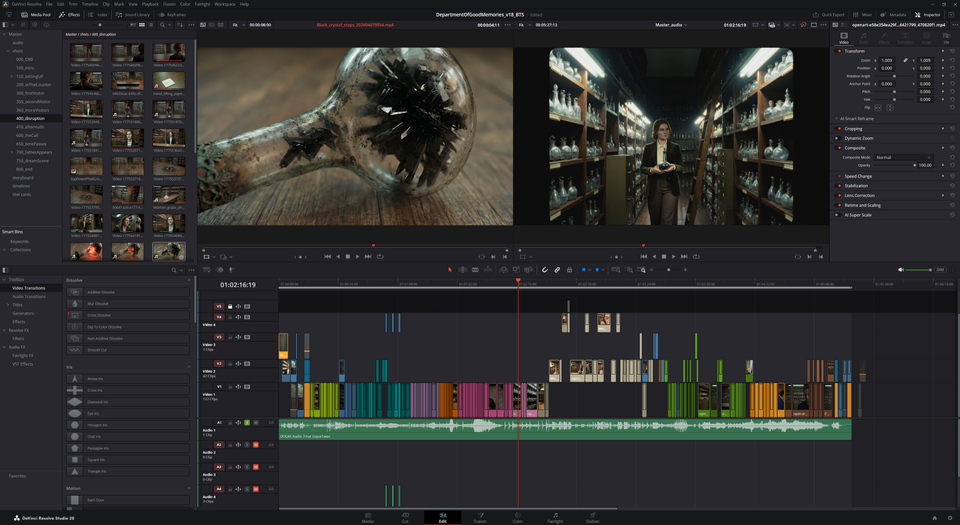
Post-Production: DaVinci Resolve
All editing happened in DaVinci Resolve. There's also one 'VFX shot' where the AI helpfully decided Pearl needed a twin sister and put two of her in the same frame. (Thanks.) I fixed this with classic masking in Resolve because it was faster and more efficient than burning more credits on a shot that was otherwise fine.
Good Old Storyboarding:
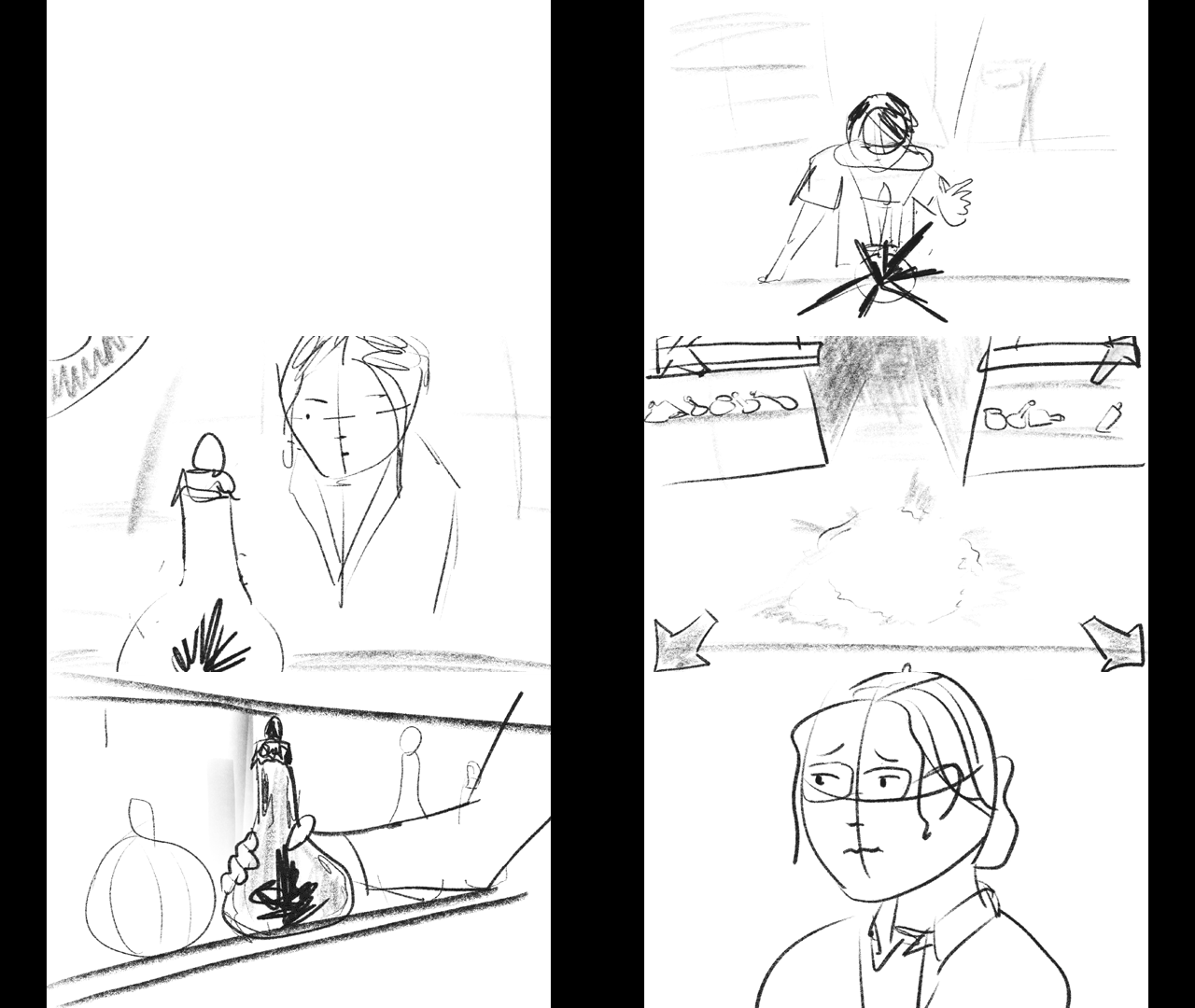
Throughout the editing process, I kept drawing storyboards to fill gaps, figure out layout and scene progression. Storyboard frames help me push the edit further and figure out issues before I (worst case) spend hours getting a specific shot in Veo/Kling that eventually ends up being cut. I think the process of AI filmmaking in that regard is very close to animation, where it's very expensive to produce a shot and you can't just produce 5 hours of footage only to use 2min of that in the edit. That's just not economical.
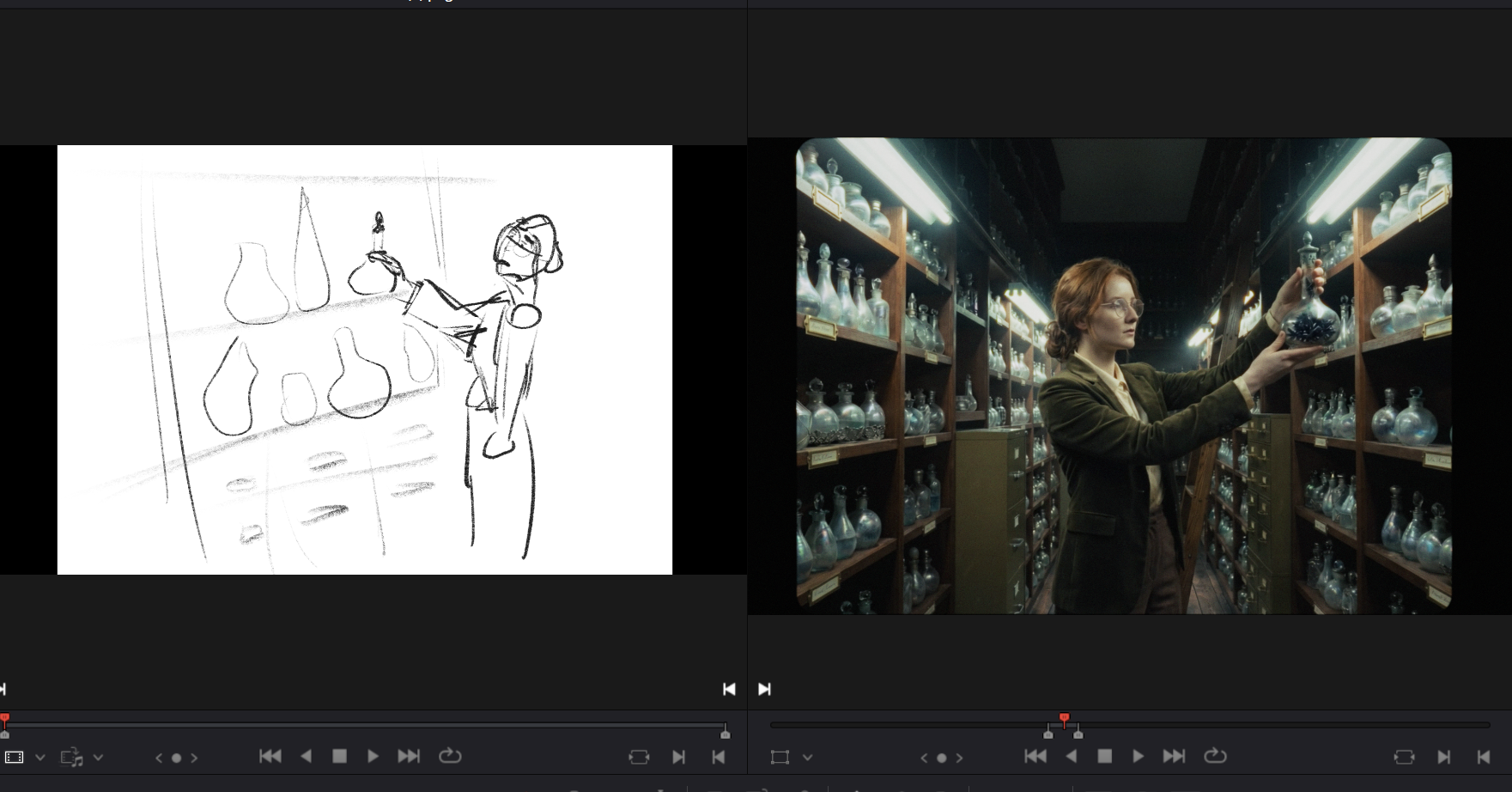
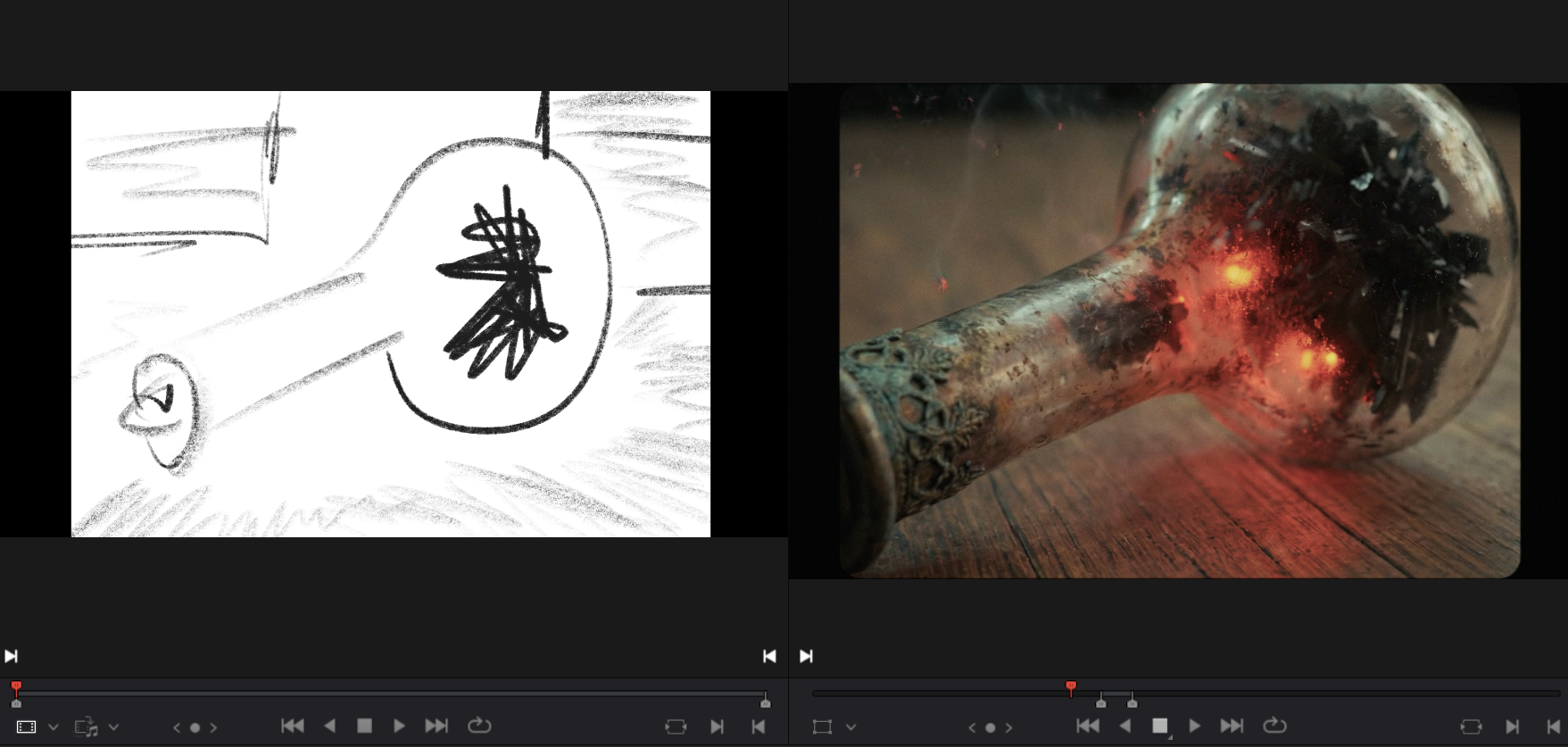
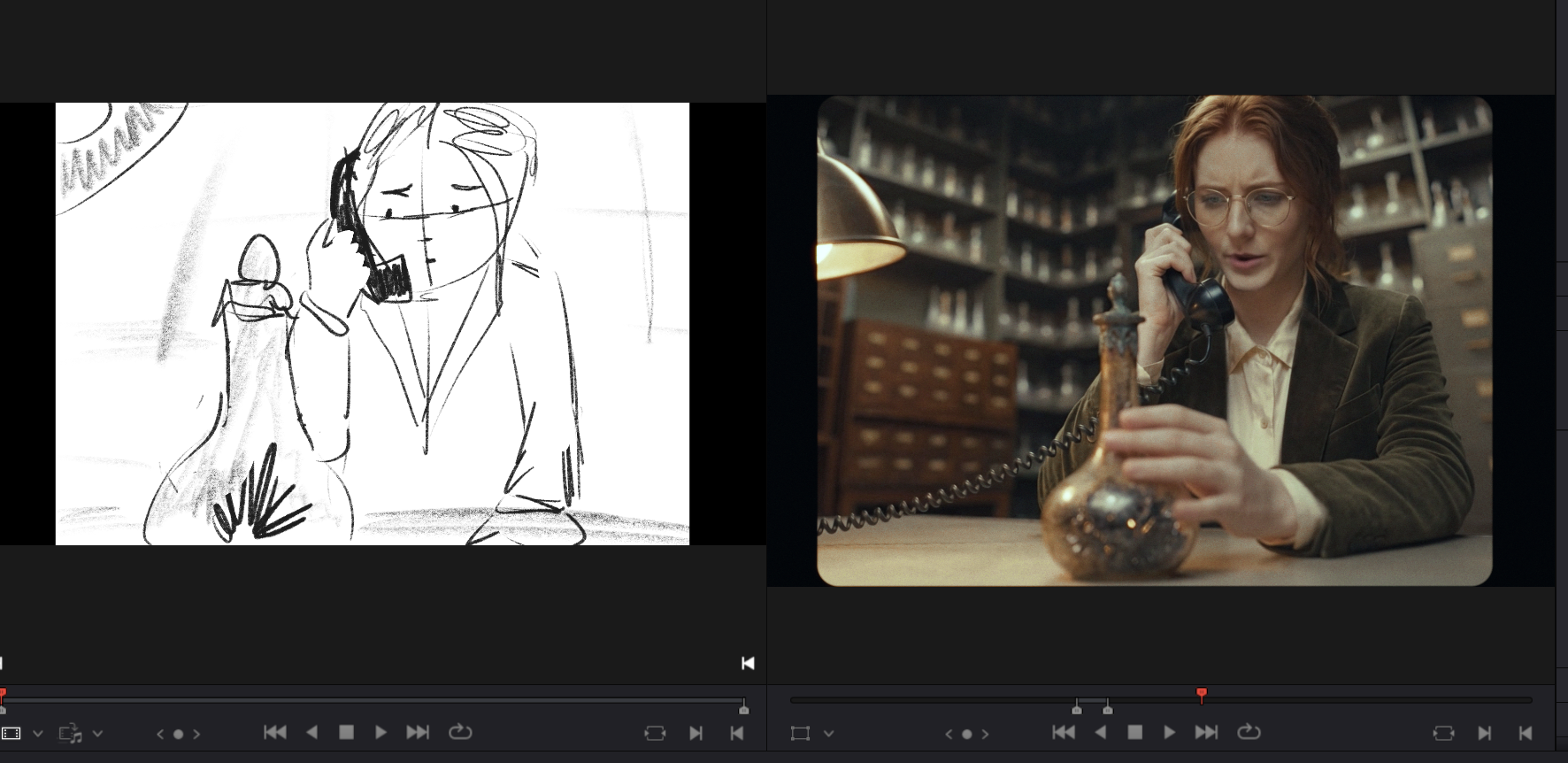
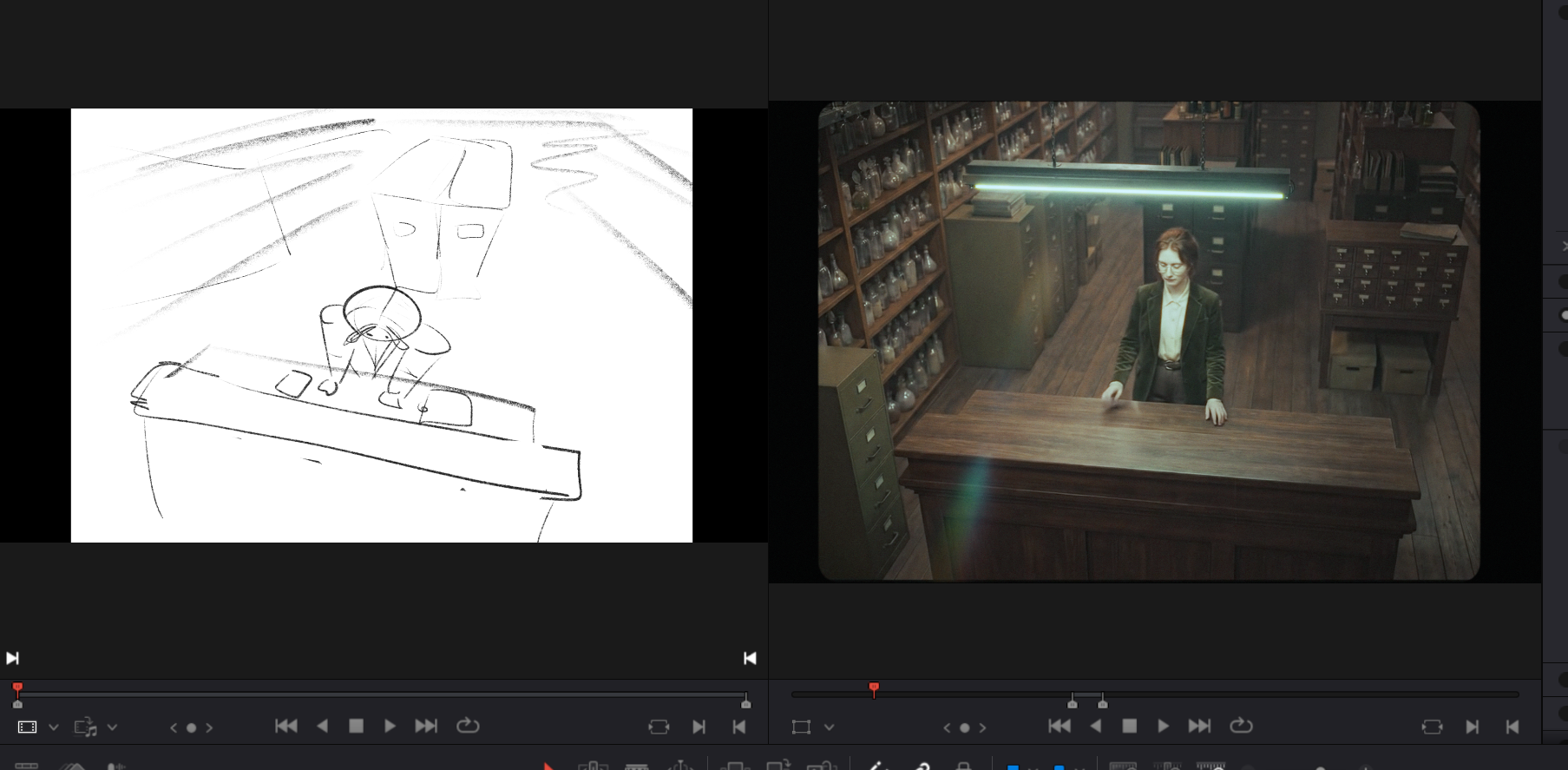
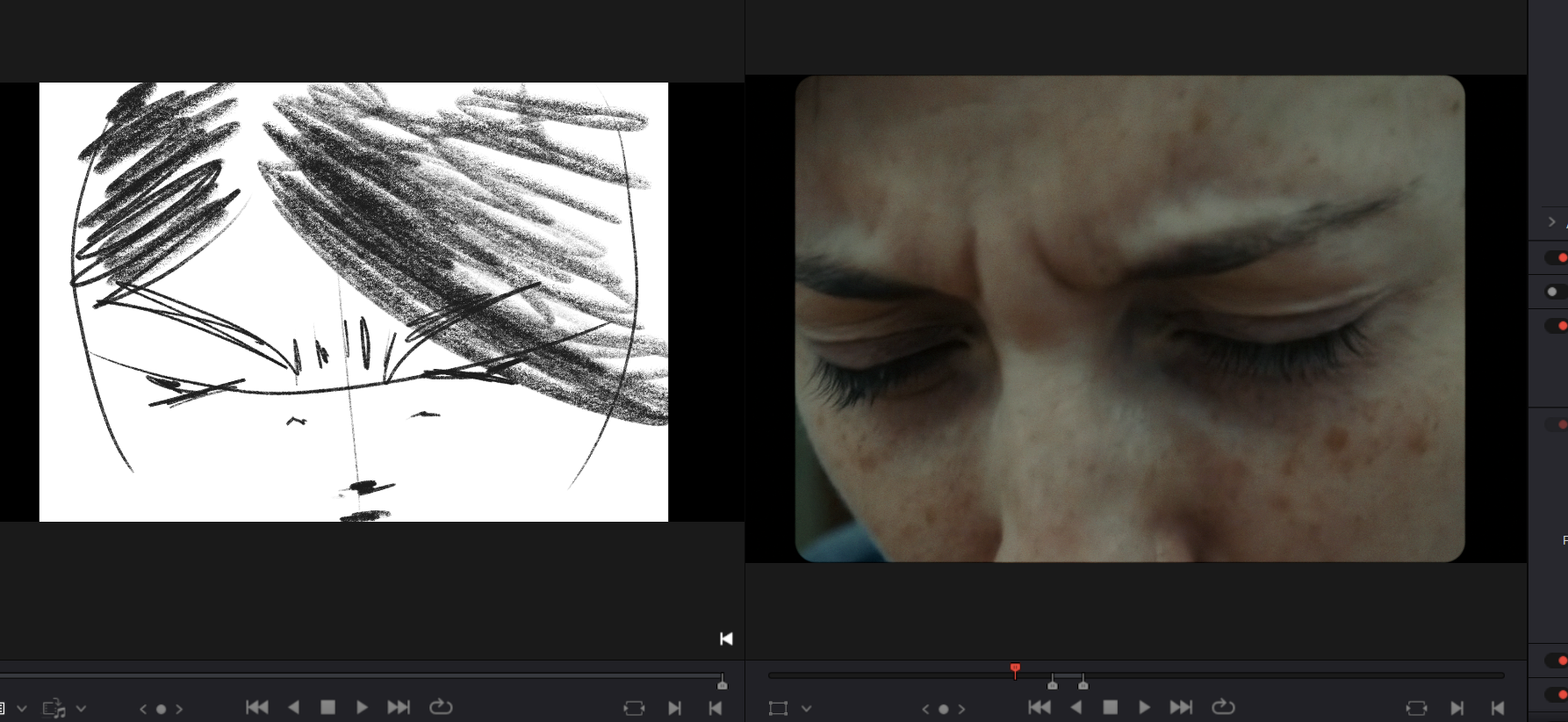
Every generation that isn't informed by a clear creative intention is a wasted generation. Therefore my storyboards were one of the most valuable assets in the entire production. (Look at me upselling my shitty little drawings.)
What I'd Do Differently
More time for story. The hackathon format is thrilling but it fights the creative process. Writing a good story takes time. And then, once your edit comes together, new problems reveal themselves. That's where I think the real filmmaking happens, and it's kind of impossible with such a tight deadline.
Voice acting. For my previous film Roots of Tomorrow, I recorded real voice performances and ran them through ElevenLabs' voice changer to get human-grounded dialogue. I wanted to do the same here but the clock ran out. AI-generated voices are increasingly impressive, but there's still a quality to real human vocal performance that's hard to replicate.
Polish shots and a proper grading pass. In an ideal world, I would have gone back and pushed the acting further, fixed some continuity issues which could easily be solved by better keyframes.
More skill file iteration. The Claude skill file I built for prompt generation was useful but not fully optimized.
Restyling of images and videos. I experimented with restyling shots to get exact framing but it just took too long to get results. The 5% increase in quality was not worth the time spent given the hackathon's time limitations .
The Summary
I purposefully shot myself in the foot with the story, setting, and characters I chose, but somehow made it across the finish line. With a range of new tools combined with good old human stubbornness, I managed to bring that idea I had in my mind onto the screen. And that's kinda cool I think.
Department of Good Memories was created for the MIT Global AI Film Hack 2026, Season 4. Theme: "Open Your Eyes."
Tools used: Google Nano Banana Pro (image generation), Google Veo 3.1 (video generation), Kling 3.0 Omni via TapNow and OpenArt (video generation), PixVerse (Nano Banana Pro 4K image generation), Claude by Anthropic (story development, prompt engineering, dialogue polish), Miro (project management), DaVinci Resolve (editing and color), Suno (music), elevenLabs (sound).
Images generated: ~2490
Videos generated: ~2010
Shots in the edit: 192
Para valorar comparar camisetas de fútbol por ajuste con criterios claros, es recomendable revisar las medidas de pecho, largo y hombros. Las fotografías y la ficha del producto deberían confirmar si las medidas se refieren a la prenda o al cuerpo.
Hours worked: ~205